
call_end

    • chevron_right

      Matthew Garrett: My a11y journey

      news.movim.eu / PlanetGnome • 20 June • 3 minutes
    23 years ago I was in a bad place. I'd quit my first attempt at a PhD for various reasons that were, with hindsight, bad, and I was suddenly entirely aimless. I lucked into picking up a sysadmin role back at TCM where I'd spent a summer a year before, but that's not really what I wanted in my life. And then Hanna mentioned that her PhD supervisor was looking for someone familiar with Linux to work on making Dasher , one of the group's research projects, more usable on Linux. I jumped.

    The timing was fortuitous. Sun were pumping money and developer effort into accessibility support, and the Inference Group had just received a grant from the Gatsy Foundation that involved working with the ACE Centre to provide additional accessibility support. And I was suddenly hacking on code that was largely ignored by most developers, supporting use cases that were irrelevant to most developers. Being in a relatively green field space sounds refreshing, until you realise that you're catering to actual humans who are potentially going to rely on your software to be able to communicate. That's somewhat focusing.

    This was, uh, something of an on the job learning experience. I had to catch up with a lot of new technologies very quickly, but that wasn't the hard bit - what was difficult was realising I had to cater to people who were dealing with use cases that I had no experience of whatsoever. Dasher was extended to allow text entry into applications without needing to cut and paste. We added support for introspection of the current applications UI so menus could be exposed via the Dasher interface, allowing people to fly through menu hierarchies and pop open file dialogs. Text-to-speech was incorporated so people could rapidly enter sentences and have them spoke out loud.

    But what sticks with me isn't the tech, or even the opportunities it gave me to meet other people working on the Linux desktop and forge friendships that still exist. It was the cases where I had the opportunity to work with people who could use Dasher as a tool to increase their ability to communicate with the outside world, whose lives were transformed for the better because of what we'd produced. Watching someone use your code and realising that you could write a three line patch that had a significant impact on the speed they could talk to other people is an incomparable experience. It's been decades and in many ways that was the most impact I've ever had as a developer.

    I left after a year to work on fruitflies and get my PhD, and my career since then hasn't involved a lot of accessibility work. But it's stuck with me - every improvement in that space is something that has a direct impact on the quality of life of more people than you expect, but is also something that goes almost unrecognised. The people working on accessibility are heroes. They're making all the technology everyone else produces available to people who would otherwise be blocked from it. They deserve recognition, and they deserve a lot more support than they have.

    But when we deal with technology, we deal with transitions. A lot of the Linux accessibility support depended on X11 behaviour that is now widely regarded as a set of misfeatures. It's not actually good to be able to inject arbitrary input into an arbitrary window, and it's not good to be able to arbitrarily scrape out its contents. X11 never had a model to permit this for accessibility tooling while blocking it for other code. Wayland does, but suffers from the surrounding infrastructure not being well developed yet. We're seeing that happen now, though - Gnome has been performing a great deal of work in this respect, and KDE is picking that up as well. There isn't a full correspondence between X11-based Linux accessibility support and Wayland, but for many users the Wayland accessibility infrastructure is already better than with X11.

    That's going to continue improving, and it'll improve faster with broader support. We've somehow ended up with the bizarre politicisation of Wayland as being some sort of woke thing while X11 represents the Roman Empire or some such bullshit, but the reality is that there is no story for improving accessibility support under X11 and sticking to X11 is going to end up reducing the accessibility of a platform.

    When you read anything about Linux accessibility, ask yourself whether you're reading something written by either a user of the accessibility features, or a developer of them. If they're neither, ask yourself why they actually care and what they're doing to make the future better.

    comment count unavailable comments
    • chevron_right

      Michael Meeks: 2025-06-19 Thursday

      news.movim.eu / PlanetGnome • 19 June

    • Up early, tech planning call in the morning, mail catch-up, admin and TORF pieces.
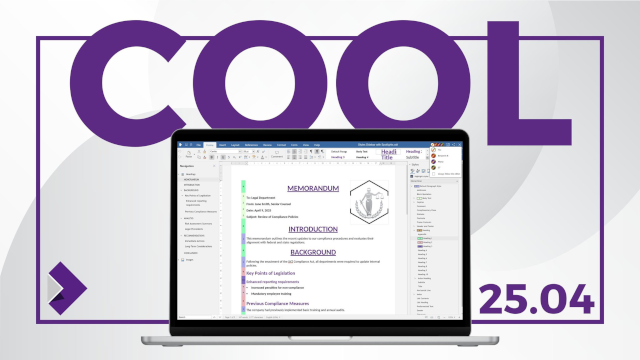
    • Really exited to see the team get the first COOL 25.04 release shipped , coming to a browser near you:

      Seems our videos are getting more polished over time too which is good.
    • Mail, admin, compiled some code too; bit patch review here & there.
    • chevron_right

      Peter Hutterer: libinput and tablet tool eraser buttons

      news.movim.eu / PlanetGnome • 19 June • 3 minutes

    This is, to some degree, a followup to this 2014 post . The TLDR of that is that, many a moon ago, the corporate overlords at Microsoft that decide all PC hardware behaviour decreed that the best way to handle an eraser emulation on a stylus is by having a button that is hardcoded in the firmware to, upon press, send a proximity out event for the pen followed by a proximity in event for the eraser tool. Upon release, they dogma'd, said eraser button shall virtually move the eraser out of proximity followed by the pen coming back into proximity. Or, in other words, the pen simulates being inverted to use the eraser, at the push of a button. Truly the future, back in the happy times of the mid 20-teens.

    In a world where you don't want to update your software for a new hardware feature, this of course makes perfect sense. In a world where you write software to handle such hardware features, significantly less so.

    Anyway, it is now 11 years later, the happy 2010s are over, and Benjamin and I have fixed this very issue in a few udev-hid-bpf programs but I wanted something that's a) more generic and b) configurable by the user. Somehow I am still convinced that disabling the eraser button at the udev-hid-bpf level will make users that use said button angry and, dear $deity, we can't have angry users, can we? So many angry people out there anyway, let's not add to that.

    To get there, libinput's guts had to be changed. Previously libinput would read the kernel events, update the tablet state struct and then generate events based on various state changes. This of course works great when you e.g. get a button toggle, it doesn't work quite as great when your state change was one or two event frames ago (because prox-out of one tool, prox-in of another tool are at least 2 events). Extracing that older state change was like swapping the type of meatballs from an ikea meal after it's been served - doable in theory, but very messy.

    Long story short, libinput now has a internal plugin system that can modify the evdev event stream as it comes in. It works like a pipeline, the events are passed from the kernel to the first plugin, modified, passed to the next plugin, etc. Eventually the last plugin is our actual tablet backend which will update tablet state, generate libinput events, and generally be grateful about having fewer quirks to worry about. With this architecture we can hold back the proximity events and filter them (if the eraser comes into proximity) or replay them (if the eraser does not come into proximity). The tablet backend is none the wiser, it either sees proximity events when those are valid or it sees a button event (depending on configuration).

    This architecture approach is so successful that I have now switched a bunch of other internal features over to use that internal infrastructure (proximity timers, button debouncing, etc.). And of course it laid the ground work for the (presumably highly) anticipated Lua plugin support . Either way, happy times. For a bit. Because for those not needing the eraser feature, we've just increased your available tool button count by 100%[2] - now there's a headline for tech journalists that just blindly copy claims from blog posts.

    [1] Since this is a bit wordy, the libinput API call is just libinput_tablet_tool_config_eraser_button_set_button()
    [2] A very small number of styli have two buttons and an eraser button so those only get what, 50% increase? Anyway, that would make for a less clickbaity headline so let's handwave those away.

    • chevron_right

      Marcus Lundblad: Midsommer Maps

      news.movim.eu / PlanetGnome • 18 June, 2025 • 4 minutes

    As tradition has it, it's about time for the (Northern Hemisphere) summer update on the happenings around Maps!

    about-49.alpha.png
    About dialog for GNOME Maps 49.alpha development


    Bug Fixes

    Since the GNOME 48 release in March, there's been some bug fixes, such as correctly handling daylight savings time in public transit itineraries retrieved from Transitous. Also James Westman fixed a regression where the search result popover wasn't showing on small screen devices (phones) because of sizing issues.

    More Clickable Stuff

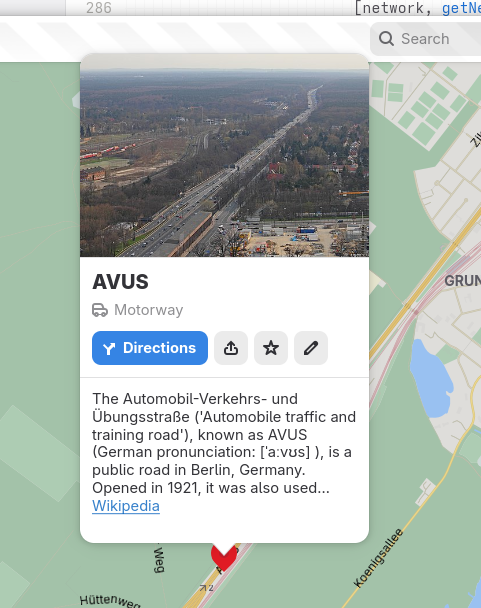
    More symbols can now be directly selected in the map view by clicking/tapping on there symbols, like roads and house numbers (and then also, like any other POI can be marked as favorites).
    place-bubble-road.png
    Showing place information for the AVUS motorway in Berlin

    And related to traffic and driving, exit numbers are now shown for highway junctions (exits) when available.
    motorway-exit-right.png
    Showing information for a highway exit in a driving-on-the-right locallity

    motorway-exit-left.png
    Showing information for a highway exit in a driving-on-the-left locallity

    Note how the direction the arrow is pointing depends on the side of the road vehicle traffic drives in the country/territoy of the place…
    Also the icon for the “Directions” button shows a “turn off left” mirrored icon now for places in drives-on-the-left countries as an additional attention-to-detail.

    Furigana Names in Japanese

    Since some time (around when we re-designed the place information “bubbles”) we show the native name for place under the name translated in the user's locale (when they are different).
    As there exists an established OpenStreetMap tag for phonetic names in Japanese (using Hiragana), name:ja-Hira akin to Furigana ( https://en.wikipedia.org/wiki/Furigana ) used to aid with pronounciation of place names. I had been thinking that it might be a good idea to show this when available as the dimmed supplimental text in the cases where the displayed name and native names are identical, and the Hiragana name is available. E.g. when the user's locale is Japanese and looking at Japanese names.  For other locales in these cases the displayed name would typically be the Romaji name with the Japanese full (Kanji) name displayed under it as the native name.
    So, I took the opportunity to discuss this with my college Daniel Markstedt, who speaks fluent Japanese and has lived many years in Japan. As he like the idea, and demo of it, I decided to go ahead with this!
    hiragana-name.png
    Showing a place in Japanese with supplemental Hiragana name

    Configurable Measurement Systems

    Since like the start of time, Maps has  shown distances in feet and miles when using a United States locale (or more precisely when measurements use such a locale, LC_MEASUREMENT when speaking about the environment variables). For other locales using standard metric measurements.
    Despite this we have several times recieved bug reports about Maps not  using the correct units. The issue here is that many users tend to prefer to have their computers speaking American English.
    So, I finally caved in and added an option to override the system default.
    hamburger-preferences.png
    Hamburger menu

    measurement-system-menu.png
    Hamburger menu showing measurement unit selection

    Station Symbols

    One feature I had been wanted to implement since we moved to vector tiles and integrated the customized highway shields from OpenStreeMap Americana is showing localized symbols for e.g. metro stations. Such as the classic “roundel” symbol used in London, and the ”T“ in Stockholm.
    After adding the network:wikidata tag to the pre-generated vector tiles this has been possible to implement. We choose to rely on the Wikidata tag instead of the network name/abbreviations as this is more stable and names could risk getting collitions with unrelated networks having the same (short-) name.
    hamburg-u-bahn.png
    U-Bahn station in Hamburg

    copenhagen-metro.png
    Metro stations in Copenhagen

    boston-t.png
    Subway stations in Boston

    berlin-s-bahn.png
    S-Bahn station in Berlin

    This requires the stations being tagged consitently to work out. I did some mass tagging of metro stations in Stockholm, Oslo, and Copenhagen. Other than that I mainly choose places where's at least partial coverage already.
    If you'd like to contribute and update a network with the network Wikidata tag, I prepared to quick steps to do such an edit with the JOSM OpenStreetMap desktop editor.
    Download a set of objects to update using an Overpass query, as an example, selecting the stations of Washing DC metro

    [out:xml][timeout:90][bbox:{{bbox}}];

    (

    nwr["network"="Washington Metro"]["railway"="station"];

    );

    (._;>;);

    out meta;

    josm-download-overpass-query.png
    JOSM Overpass download query editor

    Select the region to download from

    josm-select-region.png
    Select region in JOSM

    Select to only show the datalayer (not showing the background map) to make it easier to see the raw data.

    josm-show-layers.png
    Toggle data layers in JOSM

    Select the nodes.

    josm-select-nodes.png
    Show raw datapoints in JSOM

    Edit the field in the tag edit panel to update the value for all selected objects

    josm-edit-network-wikidata-tag.png
    Showing tags for selected objects

    Note that this sample assumed the relevant station node where already tagged with network names (the network tag). Other queries to limit selection might be needed.

    Also it could also be a good idea to reach out to local OSM communities before making bulk edits like this (e.g. if there is no such tagging at all in specific region) to make sure it would be aliged with expectations and such.

    Then it will also potentially take a while before it gets include in out monthly vector tile  update.

    When this has been done, given a suitable icon is available as e.g. public domain or commons in WikimediaCommons, it could be bundled in data/icons/stations and a definition added in the data mapping in src/mapStyle/stations.js.

    And More…

    One feature that has been long-wanted is the ability to dowload maps for offline usage. Lately precisely this is something James Westman has been working on.

    It's still an early draft, so we'll see when it is ready, but it already look pretty promising.

    hamburger-preferences.png
    Showing the new Preferences option


    download-dialog.png
    Preference dialog with dowloads

    download-select-area.png
    Selecting region to download

    download-rename.png
    Entering a name for a downloaded region

    download-areas.png
    Dialog showing dowloaded areas

    And that's it for now!

    • chevron_right

      Michael Meeks: 2025-06-18 Wednesday

      news.movim.eu / PlanetGnome • 18 June, 2025

    • Up too early, out for a run with J. Sync with Dave. Plugged away at calls, admin, partner call, sales call, catch up with Philippe and Italo.
    • Birthday presents at lunch - new (identical) trousers, and a variable DC power supply for some electronics.
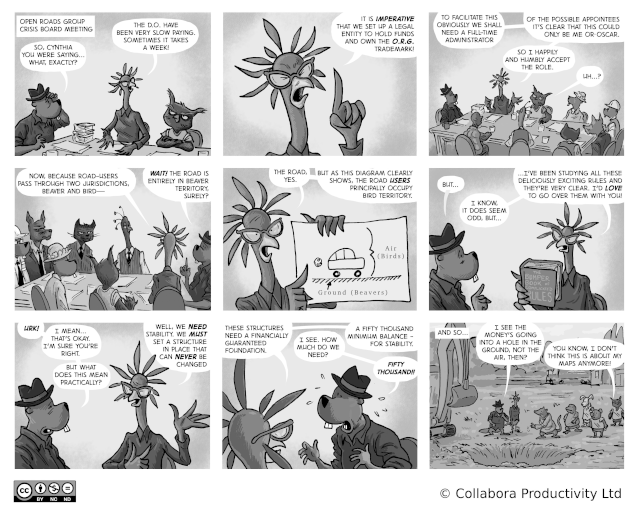
    • Published the next strip around the excitement of setting up your own non-profit structure:
    • chevron_right

      Jamie Gravendeel: UI-First Search With List Models

      news.movim.eu / PlanetGnome • 18 June, 2025 • 7 minutes

    When managing large amounts of data, manual widget creation finds its limits. Not only because managing both data and UI separately is tedious, but also because performance will be a real concern.

    Luckily, there’s two solutions for this in GTK:

    1. Gtk.ListView using a factory: more performant since it reuses widgets when the list gets long
    2. Gtk.ListBox ‘s bind_model() : less performant, but can use boxed list styling

    This blog post provides an example of a Gtk.ListView containing my pets, which is sorted, can be searched, and is primarily made in Blueprint.

    The app starts with a plain window:

    from gi.repository import Adw, Gtk
    
    
    @Gtk.Template.from_resource("/app/example/Pets/window.ui")
    class Window(Adw.ApplicationWindow):
        """The main window."""
    
        __gtype_name__ = "Window"
    
    using Gtk 4.0;
    using Adw 1;
    
    template $Window: Adw.ApplicationWindow {
      title: _("Pets");
      default-width: 450;
      default-height: 450;
    
      content: Adw.ToolbarView {
        [top]
        Adw.HeaderBar {}
      }
    }
    

    Data Object

    The Gtk.ListView needs a data object to work with, which in this example is a pet with a name and species.

    This requires a GObject.Object called Pet with those properties, and a GObject.GEnum called Species :

    from gi.repository import Adw, GObject, Gtk
    
    
    class Species(GObject.GEnum):
        """The species of an animal."""
    
        NONE = 0
        CAT = 1
        DOG = 2
    
    […]
    
    class Pet(GObject.Object):
        """Data for a pet."""
    
        __gtype_name__ = "Pet"
    
        name = GObject.Property(type=str)
        species = GObject.Property(type=Species, default=Species.NONE)
    

    List View

    Now that there’s a data object to work with, the app needs a Gtk.ListView with a factory and model.

    To start with, there’s a Gtk.ListView wrapped in a Gtk.ScrolledWindow to make it scrollable, using the .navigation-sidebar style class for padding:

    content: Adw.ToolbarView {
      […]
    
      content: ScrolledWindow {
        child: ListView {
          styles [
            "navigation-sidebar",
          ]
        };
      };
    };
    

    Factory

    The factory builds a Gtk.ListItem for each object in the model, and utilizes bindings to show the data in the Gtk.ListItem :

    content: ListView {
      […]
    
      factory: BuilderListItemFactory {
        template ListItem {
          child: Label {
            halign: start;
            label: bind template.item as <$Pet>.name;
          };
        }
      };
    };

    Model

    Models can be modified through nesting. The data itself can be in any Gio.ListModel , in this case a Gio.ListStore works well.

    The Gtk.ListView expects a Gtk.SelectionModel because that’s how it manages its selection, so the Gio.ListStore is wrapped in a Gtk.NoSelection :

    using Gtk 4.0;
    using Adw 1;
    using Gio 2.0;
    
    […]
    
    content: ListView {
      […]
    
      model: NoSelection {
        model: Gio.ListStore {
          item-type: typeof<$Pet>;
    
          $Pet {
            name: "Herman";
            species: cat;
          }
    
          $Pet {
            name: "Saartje";
            species: dog;
          }
    
          $Pet {
            name: "Sofie";
            species: dog;
          }
    
          $Pet {
            name: "Rex";
            species: dog;
          }
    
          $Pet {
            name: "Lady";
            species: dog;
          }
    
          $Pet {
            name: "Lieke";
            species: dog;
          }
    
          $Pet {
            name: "Grumpy";
            species: cat;
          }
        };
      };
    };
    

    Sorting

    To easily parse the list, the pets should be sorted by both name and species.

    To implement this, the Gio.ListStore has to be wrapped in a Gtk.SortListModel which has a Gtk.MultiSorter with two sorters, a Gtk.NumericSorter and a Gtk.StringSorter .

    Both of these need an expression: the property that needs to be compared.

    The Gtk.NumericSorter expects an integer, not a Species , so the app needs a helper method to convert it:

    class Window(Adw.ApplicationWindow):
        […]
    
        @Gtk.Template.Callback()
        def _species_to_int(self, _obj: Any, species: Species) -> int:
            return int(species)
    
    model: NoSelection {
      model: SortListModel {
        sorter: MultiSorter {
          NumericSorter {
            expression: expr $_species_to_int(item as <$Pet>.species) as <int>;
          }
    
          StringSorter {
            expression: expr item as <$Pet>.name;
          }
        };
    
        model: Gio.ListStore { […] };
      };
    };
    

    To learn more about closures, such as the one used in the Gtk.NumericSorter , consider reading my previous blog post .

    Search

    To look up pets even faster, the user should be able to search for them by both their name and species.

    Filtering

    First, the Gtk.ListView ‘s model needs the logic to filter the list by name or species.

    This can be done with a Gtk.FilterListModel which has a Gtk.AnyFilter with two Gtk.StringFilter s.

    One of the Gtk.StringFilter s expects a string, not a Species , so the app needs another helper method to convert it:

    class Window(Adw.ApplicationWindow):
        […]
    
        @Gtk.Template.Callback()
        def _species_to_string(self, _obj: Any, species: Species) -> str:
            return species.value_nick
    
    model: NoSelection {
      model: FilterListModel {
        filter: AnyFilter {
          StringFilter {
            expression: expr item as <$Pet>.name;
          }
    
          StringFilter {
            expression: expr $_species_to_string(item as <$Pet>.species) as <string>;
          }
        };
    
        model: SortListModel { […] };
      };
    };
    

    Entry

    To actually search with the filters, the app needs a Gtk.SearchBar with a Gtk.SearchEntry .

    The Gtk.SearchEntry ‘s text property needs to be bound to the Gtk.StringFilter s’ search properties to filter the list on demand.

    To be able to start searching by typing from anywhere in the window, the Gtk.SearchEntry ‘s key-capture-widget has to be set to the window, in this case the template itself:

    content: Adw.ToolbarView {
      […]
    
      [top]
      SearchBar {
        key-capture-widget: template;
    
        child: SearchEntry search_entry {
          hexpand: true;
          placeholder-text: _("Search pets");
        };
      }
    
      content: ScrolledWindow {
        child: ListView {
          […]
    
          model: NoSelection {
            model: FilterListModel {
              filter: AnyFilter {
                StringFilter {
                  search: bind search_entry.text;
                  […]
                }
    
                StringFilter {
                  search: bind search_entry.text;
                  […]
                }
              };
    
              model: SortListModel { […] };
            };
          };
        };
      };
    };
    

    Toggle Button

    The Gtk.SearchBar should also be toggleable with a Gtk.ToggleButton .

    To do so, the Gtk.SearchEntry ‘s search-mode-enabled property should be bidirectionally bound to the Gtk.ToggleButton ‘s active property:

    content: Adw.ToolbarView {
      [top]
      Adw.HeaderBar {
        [start]
        ToggleButton search_button {
          icon-name: "edit-find-symbolic";
          tooltip-text: _("Search");
        }
      }
    
      [top]
      SearchBar {
        search-mode-enabled: bind search_button.active bidirectional;
        […]
      }
    
      […]
    };
    

    The search_button should also be toggleable with a shortcut, which can be added with a Gtk.ShortcutController :

    [start]
    ToggleButton search_button {
      […]
    
      ShortcutController {
        scope: managed;
    
        Shortcut {
          trigger: "<Control>f";
          action: "activate";
        }
      }
    }
    

    Empty State

    Last but not least, the view should fall back to an Adw.StatusPage if there are no search results.

    This can be done with a closure for the visible-child-name property in an Adw.ViewStack or Gtk.Stack . I generally prefer an Adw.ViewStack due to its animation curve.

    The closure takes the amount of items in the Gtk.NoSelection as input, and returns the correct Adw.ViewStackPage name:

    class Window(Adw.ApplicationWindow):
        […]
    
        @Gtk.Template.Callback()
        def _get_visible_child_name(self, _obj: Any, items: int) -> str:
            return "content" if items else "empty"
    
    content: Adw.ToolbarView {
      […]
    
      content: Adw.ViewStack {
        visible-child-name: bind $_get_visible_child_name(selection_model.n-items) as <string>;
        enable-transitions: true;
    
        Adw.ViewStackPage {
          name: "content";
    
          child: ScrolledWindow {
            child: ListView {
              […]
    
              model: NoSelection selection_model { […] };
            };
          };
        }
    
        Adw.ViewStackPage {
          name: "empty";
    
          child: Adw.StatusPage {
            icon-name: "edit-find-symbolic";
            title: _("No Results Found");
            description: _("Try a different search");
          };
        }
      };
    };
    

    End Result

    from typing import Any
    
    from gi.repository import Adw, GObject, Gtk
    
    
    class Species(GObject.GEnum):
        """The species of an animal."""
    
        NONE = 0
        CAT = 1
        DOG = 2
    
    
    @Gtk.Template.from_resource("/org/example/Pets/window.ui")
    class Window(Adw.ApplicationWindow):
        """The main window."""
    
        __gtype_name__ = "Window"
    
        @Gtk.Template.Callback()
        def _get_visible_child_name(self, _obj: Any, items: int) -> str:
            return "content" if items else "empty"
    
        @Gtk.Template.Callback()
        def _species_to_string(self, _obj: Any, species: Species) -> str:
            return species.value_nick
    
        @Gtk.Template.Callback()
        def _species_to_int(self, _obj: Any, species: Species) -> int:
            return int(species)
    
    
    class Pet(GObject.Object):
        """Data about a pet."""
    
        __gtype_name__ = "Pet"
    
        name = GObject.Property(type=str)
        species = GObject.Property(type=Species, default=Species.NONE)
    
    using Gtk 4.0;
    using Adw 1;
    using Gio 2.0;
    
    template $Window: Adw.ApplicationWindow {
      title: _("Pets");
      default-width: 450;
      default-height: 450;
    
      content: Adw.ToolbarView {
        [top]
        Adw.HeaderBar {
          [start]
          ToggleButton search_button {
            icon-name: "edit-find-symbolic";
            tooltip-text: _("Search");
    
            ShortcutController {
              scope: managed;
    
              Shortcut {
                trigger: "f";
                action: "activate";
              }
            }
          }
        }
    
        [top]
        SearchBar {
          key-capture-widget: template;
          search-mode-enabled: bind search_button.active bidirectional;
    
          child: SearchEntry search_entry {
            hexpand: true;
            placeholder-text: _("Search pets");
          };
        }
    
        content: Adw.ViewStack {
          visible-child-name: bind $_get_visible_child_name(selection_model.n-items) as ;
          enable-transitions: true;
    
          Adw.ViewStackPage {
            name: "content";
    
            child: ScrolledWindow {
              child: ListView {
                styles [
                  "navigation-sidebar",
                ]
    
                factory: BuilderListItemFactory {
                  template ListItem {
                    child: Label {
                      halign: start;
                      label: bind template.item as <$Pet>.name;
                    };
                  }
                };
    
                model: NoSelection selection_model {
                  model: FilterListModel {
                    filter: AnyFilter {
                      StringFilter {
                        expression: expr item as <$Pet>.name;
                        search: bind search_entry.text;
                      }
    
                      StringFilter {
                        expression: expr $_species_to_string(item as <$Pet>.species) as <string>;
                        search: bind search_entry.text;
                      }
                    };
    
                    model: SortListModel {
                      sorter: MultiSorter {
                        NumericSorter {
                          expression: expr $_species_to_int(item as <$Pet>.species) as <int>;
                        }
    
                        StringSorter {
                          expression: expr item as <$Pet>.name;
                        }
                      };
    
                      model: Gio.ListStore {
                        item-type: typeof<$Pet>;
    
                        $Pet {
                          name: "Herman";
                          species: cat;
                        }
    
                        $Pet {
                          name: "Saartje";
                          species: dog;
                        }
    
                        $Pet {
                          name: "Sofie";
                          species: dog;
                        }
    
                        $Pet {
                          name: "Rex";
                          species: dog;
                        }
    
                        $Pet {
                          name: "Lady";
                          species: dog;
                        }
    
                        $Pet {
                          name: "Lieke";
                          species: dog;
                        }
    
                        $Pet {
                          name: "Grumpy";
                          species: cat;
                        }
                      };
                    };
                  };
                };
              };
            };
          }
    
          Adw.ViewStackPage {
            name: "empty";
    
            child: Adw.StatusPage {
              icon-name: "edit-find-symbolic";
              title: _("No Results Found");
              description: _("Try a different search");
            };
          }
        };
      };
    }
    

    List models are pretty complicated, but I hope that this example provides a good idea of what’s possible from Blueprint, and is a good stepping stone to learn more.

    Thanks for reading!

    PS: a shout out to Markus for guessing what I’d write about next ;)

    • chevron_right

      Matthew Garrett: Locally hosting an internet-connected server

      news.movim.eu / PlanetGnome • 17 June, 2025 • 4 minutes

    I'm lucky enough to have a weird niche ISP available to me, so I'm paying $35 a month for around 600MBit symmetric data. Unfortunately they don't offer static IP addresses to residential customers, and nor do they allow multiple IP addresses per connection, and I'm the sort of person who'd like to run a bunch of stuff myself, so I've been looking for ways to manage this.

    What I've ended up doing is renting a cheap VPS from a vendor that lets me add multiple IP addresses for minimal extra cost. The precise nature of the VPS isn't relevant - you just want a machine (it doesn't need much CPU, RAM, or storage) that has multiple world routeable IPv4 addresses associated with it and has no port blocks on incoming traffic. Ideally it's geographically local and peers with your ISP in order to reduce additional latency, but that's a nice to have rather than a requirement.

    By setting that up you now have multiple real-world IP addresses that people can get to. How do we get them to the machine in your house you want to be accessible? First we need a connection between that machine and your VPS, and the easiest approach here is Wireguard . We only need a point-to-point link, nothing routable, and none of the IP addresses involved need to have anything to do with any of the rest of your network. So, on your local machine you want something like:

    [Interface]
    PrivateKey = privkeyhere
    ListenPort = 51820
    Address = localaddr/32

    [Peer]
    Endpoint = VPS:51820
    PublicKey = pubkeyhere
    AllowedIPs = VPS/0


    And on your VPS, something like:

    [Interface]
    Address = vpswgaddr/32
    SaveConfig = true
    ListenPort = 51820
    PrivateKey = privkeyhere

    [Peer]
    PublicKey = pubkeyhere
    AllowedIPs = localaddr/32


    The addresses here are (other than the VPS address) arbitrary - but they do need to be consistent, otherwise Wireguard is going to be unhappy and your packets will not have a fun time. Bring that interface up with wg-quick and make sure the devices can ping each other. Hurrah! That's the easy bit.

    Now you want packets from the outside world to get to your internal machine. Let's say the external IP address you're going to use for that machine is 321.985.520.309 and the wireguard address of your local system is 867.420.696.005 . On the VPS, you're going to want to do:

    iptables -t nat -A PREROUTING -p tcp -d 321.985.520.309 -j DNAT --to-destination 867.420.696.005

    Now, all incoming packets for 321.985.520.309 will be rewritten to head towards 867.420.696.005 instead (make sure you've set net.ipv4.ip_forward to 1 via sysctl !). Victory! Or is it? Well, no.

    What we're doing here is rewriting the destination address of the packets so instead of heading to an address associated with the VPS, they're now going to head to your internal system over the Wireguard link. Which is then going to ignore them, because the AllowedIPs statement in the config only allows packets coming from your VPS, and these packets still have their original source IP. We could rewrite the source IP to match the VPS IP, but then you'd have no idea where any of these packets were coming from, and that sucks. Let's do something better. On the local machine, in the peer, let's update AllowedIps to 0.0.0.0/0 to permit packets form any source to appear over our Wireguard link. But if we bring the interface up now, it'll try to route all traffic over the Wireguard link, which isn't what we want. So we'll add table = off to the interface stanza of the config to disable that, and now we can bring the interface up without breaking everything but still allowing packets to reach us. However, we do still need to tell the kernel how to reach the remote VPN endpoint, which we can do with ip route add vpswgaddr dev wg0 . Add this to the interface stanza as:

    PostUp = ip route add vpswgaddr dev wg0
    PreDown = ip route del vpswgaddr dev wg0


    That's half the battle. The problem is that they're going to show up there with the source address still set to the original source IP, and your internal system is (because Linux) going to notice it has the ability to just send replies to the outside world via your ISP rather than via Wireguard and nothing is going to work. Thanks, Linux. Thinux.

    But there's a way to solve this - policy routing. Linux allows you to have multiple separate routing tables, and define policy that controls which routing table will be used for a given packet. First, let's define a new table reference. On the local machine, edit /etc/iproute2/rt_tables and add a new entry that's something like:

    1 wireguard


    where "1" is just a standin for a number not otherwise used there. Now edit your wireguard config and replace table=off with table=wireguard - Wireguard will now update the wireguard routing table rather than the global one. Now all we need to do is to tell the kernel to push packets into the appropriate routing table - we can do that with ip rule add from localaddr lookup wireguard , which tells the kernel to take any packet coming from our Wireguard address and push it via the Wireguard routing table. Add that to your Wireguard interface config as:

    PostUp = ip rule add from localaddr lookup wireguard
    PreDown = ip rule del from localaddr lookup wireguard

    and now your local system is effectively on the internet.

    You can do this for multiple systems - just configure additional Wireguard interfaces on the VPS and make sure they're all listening on different ports. If your local IP changes then your local machines will end up reconnecting to the VPS, but to the outside world their accessible IP address will remain the same. It's like having a real IP without the pain of convincing your ISP to give it to you.

    comment count unavailable comments
    • chevron_right

      Jamie Gravendeel: Data Driven UI With Closures

      news.movim.eu / PlanetGnome • 16 June, 2025 • 4 minutes

    It’s highly recommended to read my previous blog post first to understand some of the topics discussed here.

    UI can be hard to keep track of when changed imperatively, preferably it just follows the code’s state. Closures provide an intuitive way to do so by having data as input, and the desired value as output. They couple data with UI, but decouple the specific piece of UI that’s changed, making closures very modular. The example in this post uses Python and Blueprint.

    Technicalities

    First, it’s good to be familiar with the technical details behind closures. To quote from Blueprint’s documentation:

    Expressions are only reevaluated when their inputs change. Because Blueprint doesn’t manage a closure’s application code, it can’t tell what changes might affect the result. Therefore, closures must be pure , or deterministic. They may only calculate the result based on their immediate inputs, not properties of their inputs or outside variables.

    To elaborate, expressions know when their inputs have changed due to the inputs being GObject properties, which emit the “notify” signal when modified.

    Another thing to note is where casting is necessary. To again quote Blueprint’s documentation:

    Blueprint doesn’t know the closure’s return type, so closure expressions must be cast to the correct return type using a cast expression .

    Just like Blueprint doesn’t know about the return type, it also doesn’t know the type of ambiguous properties. To provide an example:

    Button simple_button {
      label: _("Click");
    }
    
    Button complex_button {
      child: Adw.ButtonContent {
        label: _("Click");
      };
    }

    Getting the label of simple_button in a lookup does not require a cast, since label is a known property of Gtk.Button with a known type:

    simple_button.label

    While getting the label of complex_button does require a cast, since child is of type Gtk.Widget , which does not have the label property:

    complex_button.child as <Adw.ButtonContent>.label

    Example

    To set the stage, there’s a window with a Gtk.Stack which has two Gtk.StackPage s, one for the content and one for the loading view:

    from gi.repository import Adw, Gtk
    
    
    @Gtk.Template.from_resource("/org/example/App/window.ui")
    class Window(Adw.ApplicationWindow):
        """The main window."""
    
        __gtype_name__ = "Window"
    using Gtk 4.0;
    using Adw 1;
    
    template $Window: Adw.ApplicationWindow {
      title: _("Demo");
    
      content: Adw.ToolbarView {
        [top]
        Adw.HeaderBar {}
    
        content: Stack {
          StackPage {
            name: "content";
    
            child: Label {
              label: _("Meow World!");
            };
          }
    
          StackPage {
            name: "loading";
    
            child: Adw.Spinner {};
          }
        };
      };
    }

    Switching Views Conventionally

    One way to manage the views would be to rely on signals to communicate when another view should be shown:

    from typing import Any
    
    from gi.repository import Adw, GObject, Gtk
    
    
    @Gtk.Template.from_resource("/org/example/App/window.ui")
    class Window(Adw.ApplicationWindow):
        """The main window."""
    
        __gtype_name__ = "Window"
    
        stack: Gtk.Stack = Gtk.Template.Child()
    
        loading_finished = GObject.Signal()
    
        @Gtk.Template.Callback()
        def _show_content(self, *_args: Any) -> None:
            self.stack.set_visible_child_name("content")

    A reference to the stack has been added, as well as a signal to communicate when loading has finished, and a callback to run when that signal is emitted.

    using Gtk 4.0;
    using Adw 1;
    
    template $Window: Adw.ApplicationWindow {
      title: _("Demo");
      loading-finished => $_show_content();
    
      content: Adw.ToolbarView {
        [top]
        Adw.HeaderBar {}
    
        content: Stack stack {
          StackPage {
            name: "content";
    
            child: Label {
              label: _("Meow World!");
            };
          }
    
          StackPage {
            name: "loading";
    
            child: Adw.Spinner {};
          }
        };
      };
    }

    A signal handler has been added, as well as a name for the Gtk.Stack .

    Only a couple of changes had to be made to switch the view when loading has finished, but all of them are sub-optimal:

    1. A reference in the code to the stack would be nice to avoid
    2. Imperatively changing the view makes following state harder
    3. This approach doesn’t scale well when the data can be reloaded, it would require another signal to be added

    Switching Views With a Closure

    To use a closure, the class needs data as input and a method to return the desired value:

    from typing import Any
    
    from gi.repository import Adw, GObject, Gtk
    
    
    @Gtk.Template.from_resource("/org/example/App/window.ui")
    class Window(Adw.ApplicationWindow):
        """The main window."""
    
        __gtype_name__ = "Window"
    
        loading = GObject.Property(type=bool, default=True)
    
        @Gtk.Template.Callback()
        def _get_visible_child_name(self, _obj: Any, loading: bool) -> str:
            return "loading" if loading else "content"

    The signal has been replaced with the loading property, and the template callback has been replaced by a method that returns a view name depending on the value of that property. _obj here is the template class, which is unused.

    using Gtk 4.0;
    using Adw 1;
    
    template $Window: Adw.ApplicationWindow {
      title: _("Demo");
    
      content: Adw.ToolbarView {
        [top]
        Adw.HeaderBar {}
    
        content: Stack {
          visible-child-name: bind $_get_visible_child_name(template.loading) as <string>;
    
          StackPage {
            name: "content";
    
            child: Label {
              label: _("Meow World!");
            };
          }
    
          StackPage {
            name: "loading";
    
            child: Adw.Spinner {};
          }
        };
      };
    }

    In Blueprint, the signal handler has been removed, as well as the unnecessary name for the Gtk.Stack . The visible-child-name property is now bound to a closure, which takes in the loading property referenced with template.loading .

    This fixed the issues mentioned before:

    1. No reference in code is required
    2. State is bound to a single property
    3. If the data reloads, the view will also adapt

    Closing Thoughts

    Views are just one UI element that can be managed with closures, but there’s plenty of other elements that should adapt to data, think of icons, tooltips, visibility, etc. Whenever you’re writing a widget with moving parts and data, think about how the two can be linked, your future self will thank you!

    • chevron_right

      Jussi Pakkanen: A custom C++ standard library part 4: using it for real

      news.movim.eu / PlanetGnome • 16 June, 2025 • 2 minutes

    Writing your own standard library is all fun and games until someone (which is to say yourself) asks the important question: could this be actually used for real? Theories and opinions can be thrown about the issue pretty much forever, but the only way to actually know for sure is to do it.

    Thus I converted CapyPDF , which is a fairly compact 15k LoC codebase from the C++ standard library to Pystd , which is about 4k lines. All functionality is still the same, which is to say that the test suite passes, there are most likely new bugs that the tests do not catch. For those wanting to replicate the results themselves, clone the CapyPDF repo, switch to the pystdport branch and start building. Meson will automatically download and set up Pystd as a subproject. The code is fairly bleeding edge and only works on Linux with GCC 15.1.

    Build times

    One of the original reasons for starting Pystd was being annoyed at STL compile times. Let's see if we succeeded in improving on them. Build times when using only one core in debug look like this.

    When optimizations are enabled the results look like this:

    In both cases the Pystd version compiles in about a quarter of the time.

    Binary size

    C++ gets a lot of valid criticism for creating bloated code. How much of that is due to the language as opposed to the library.

    That's quite unexpected. The debug info for STL types seems to take an extra 20 megabytes. But how about the executable code itself?

    STL is still 200 kB bigger. Based on observations most of this seems to come from stdlibc++'s implementation of variant . Note that if you try this yourself the Pystd version is probably 100 kB bigger, because by default the build setup links against libsubc++ , which adds 100+ kB to binary sizes whereas linking against the main C++ runtime library does not.

    Performance

    Ok, fine, so we can implement basic code to build faster and take less space. Fine. But what about performance? That is the main thing that matters after all, right? CapyPDF ships with a simple benchmark program. Let's look at its memory usage first.

    Apologies for the Y-axis does not starting at zero. I tried my best to make it happen, but LibreOffice Calc said no. In any case the outcome itself is as expected. Pystd has not seen any performance optimization work so it requiring 10% more memory is tolerable. But what about the actual runtime itself?

    This is unexpected to say the least. A reasonable result would have been to be only 2x slower than the standard library, but the code ended up being almost 25% faster. This is even stranger considering that Pystd's containers do bounds checks on all accesses, the UTF-8 parsing code sometimes validates its input twice, the hashing algorithm is a simple multiply-and-xor and so on. Pystd should be slower, and yet, in this case at least, it is not.

    I have no explanation for this.