call_end

    • chevron_right

      Georges Basile Stavracas Neto: Mini Fundraiser: Stream Deck Plus

      news.movim.eu / PlanetGnome • 15 January, 2024 • 1 minute

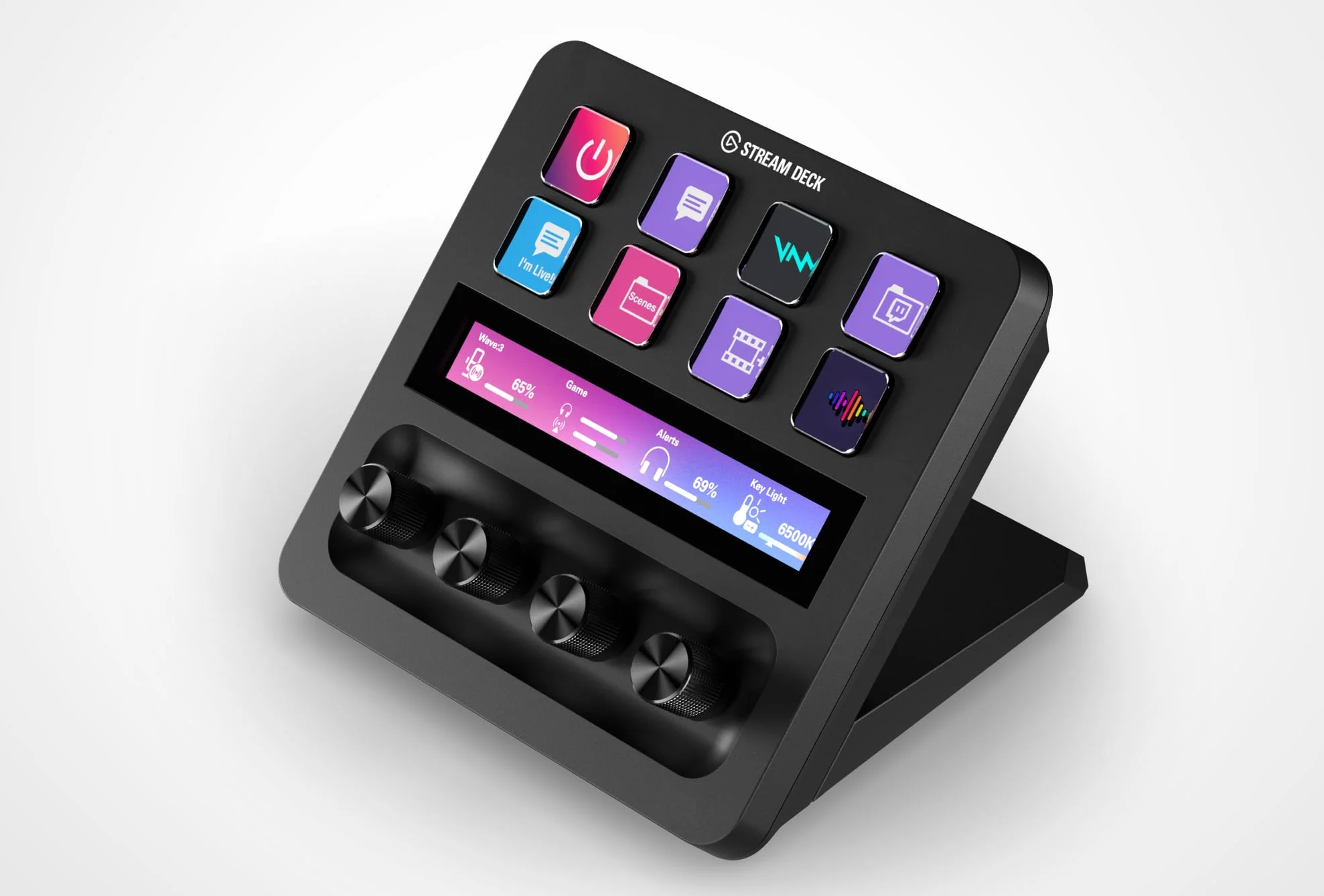
    Following up on my previous blog post , due to popular demand, I started a small fundraiser campaign to acquire an Elgato Stream Deck Plus .

    The goal is US$ 500, which should cover the costs of acquiring the device, and should pay for a few hours of reverse engineering work Boatswain development. Naturally, I’ll also document the USB format that these devices use, so that other developers out there can implement support in their own apps.

    This particular model will be more complicated than other Stream Deck devices because it features a touch screen, and 4 activatable knobs. It will require a rather substantial rework of Boatswain so that it can support separate button grids, different button types, finger detection, and more.

    I did reach out to Elgato, but they don’t seem interested in giving away one of their devices, or even a devboard, for me to hack on.

    Whether or not this goal is reached, I’d like to thank all of the people that supported me on Ko-Fi and GitHub so far. Your support is truly humbling and it allowed me to write Boatswain in the first place, and much more!

    Edit: since writing this article, I was let known that there is one other project that already reverse engineered parts of this device. I’ve adjusted the description to mention “Boatswain development” instead of “reverse engineering”.

    • chevron_right

      Alexander Larsson: Testing composefs in Silverblue

      news.movim.eu / PlanetGnome • 15 January, 2024 • 2 minutes

    As of the version 39 of Fedora Silverblue all the basic code is  merged to support a composefs-based root filesystem.

    To try it, do:

        • Update to the latest version (I tested 39.20240115.0)
        • Configure ostree to create and use composefs images:
          $ sudo ostree config set ex-integrity.composefs yes
        • Trigger a manual (re)deploy of the current version:
          $ sudo ostree admin deploy fedora/39/x86_64/silverblue
        • Reboot into the new deploy
        • If using ext4 filesystem for rootfs (not needed for btrfs), enable “verity” feature on it:
          $ sudo tune2fs -O verity /dev/vda3 # Change to right root disk
        • Enable fs-verity on all pre-existing ostree repo files:
          $ sudo ostree admin post-copy

    At this point, the rootfs should be be a composefs mount. You can verify it by looking at the mount, which should look like this:

    $ findmnt /
    TARGET SOURCE  FSTYPE  OPTIONS
    / overlay overlay ro,relatime,seclabel,lowerdir=/run/ostree/.private/cfsroot-lower::/sysroot/ostree/repo/objects,redirect_dir=on,metacopy=on

    So, what does this mean?

    First of all, it means the rootfs is truly read-only:

    # touch /usr/new_file
    touch: cannot touch '/usr/new_file': Read-only file system

    The above error message happens also with regular ostree, but in that case it is only a read-only mount flag, and a root user can re-mount it read-write to modify it (or modify the backing directories in /ostree). However, when using composefs, the root filesystem is a combination of a erofs mount (from /ostree/deploy/fedora/deploy/*/.ostree.cfs) and an overlayfs with no writable directories, and neither of these have any ability to write to disk.

    In addition, the system is set up to validate all file accesses, as the composefs image has recorded the expected fs-verity checksums for all files and overlayfs  can validate them on use.

    To fully complete the validation, Silverblue will just need a few additions (which I hope will be done soon):

    • Each build should generate a one-use signature keypair
    • The ostree commit should be signed with the private key
    • Add public key as /etc/ostree/initramfs-root-binding.key
    • Add /usr/lib/ostree/prepare-root.conf with this content:
      [composefs]
      enabled=yes
      signed=yes

      These files will be copied into the initrd, and during boot the public key will be used to validate the composefs image, which in turn guarantee that all file accesses give the correct, unchanged data.

    To further improve security, the initramfs and the kernel can be combined into a Unified Kernel Image and signed. Then SecureBoot can guarantee that your system will not boot any other initramfs, and thus no other userspace.

    • chevron_right

      Georges Basile Stavracas Neto: 2023 in retrospect

      news.movim.eu / PlanetGnome • 12 January, 2024 • 13 minutes

    2023 was a crushing year. It just slipped away, I barely managed to process all that happened. After going full offline for a very short 4-day break last week, I noticed I simply couldn’t remember most of the events that happened last year.

    We’re in 2024 now, and to start the year afresh, I think it’ll be a good exercise to list all relevant personal and work achievements accomplished last year.

    Portals
    The work that happened on portals during 2023 is going to be hard to summarize in this small space. I’m writing a lengthier article about it, it’s quite a lot.

    What is worth mentioning is that, thanks to the Sovereign Tech Fund grant for GNOME , I’ve been able to explore a new USB portal for enabling devices to be available to the sandbox.

    I’ve used this opportunity to also go through the rather large backlog of maintenance tasks. More than 80 obsoleted issues were purged from the issue tracker; a proper place for discussions, questions, and suggestions was set up; documentation was entirely redone and is in a much better state now; a variety of bugs was fixed.

    The big highlights were the new website, and documentation. Thanks to Jakub , we have stunning pixel art in the the website and the documentation pages. Thanks to Emmanuele , documentation was moved to Sphinx and restructured.

    The new website doesn’t have a domain of its own, but you can find it here . The documentation pages can be found here .

    On the GNOME side, I’ve fixed a variety of bugs in xdg-desktop-portal-gnome, and merged a few smaller UI improvements. Nothing major, but things keep improving.

    Calendar
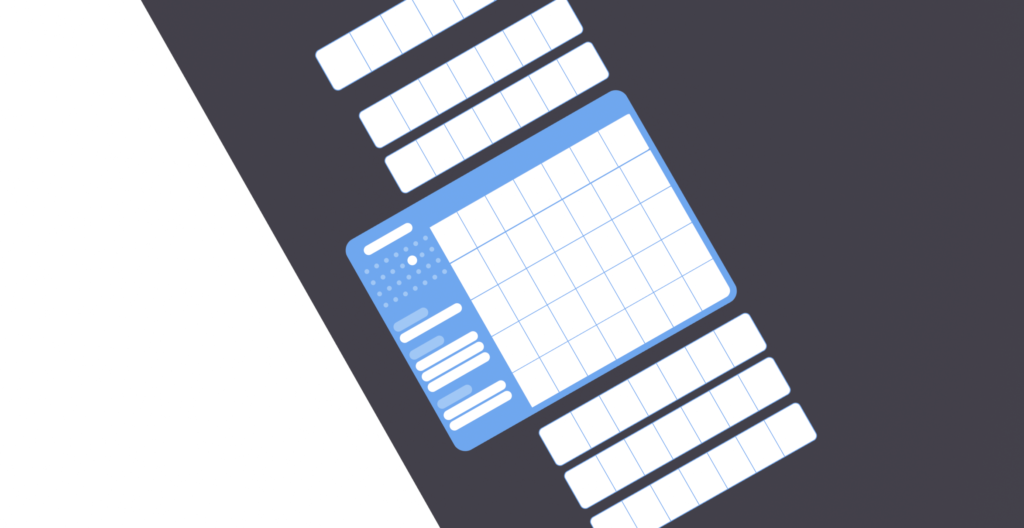
    The main highlight of 2023 for Calendar was of course the new infinitely scrolling month view. It took quite a long time to get that done – I think it took me about 3 months of low bandwidth work, in parallel to my day job – but the result seems more than worth the effort. It made Jeff and Skelly happy as well, and that’s the big reward to me.

    You can read more about here.

    But what was truly fantastic was to see more contributors coming to Calendar and helping fixing bugs, update the various corners of the codebase to use modern libadwaita widgets, triage issues and put the issue tracker in a good shape, and more.

    Settings
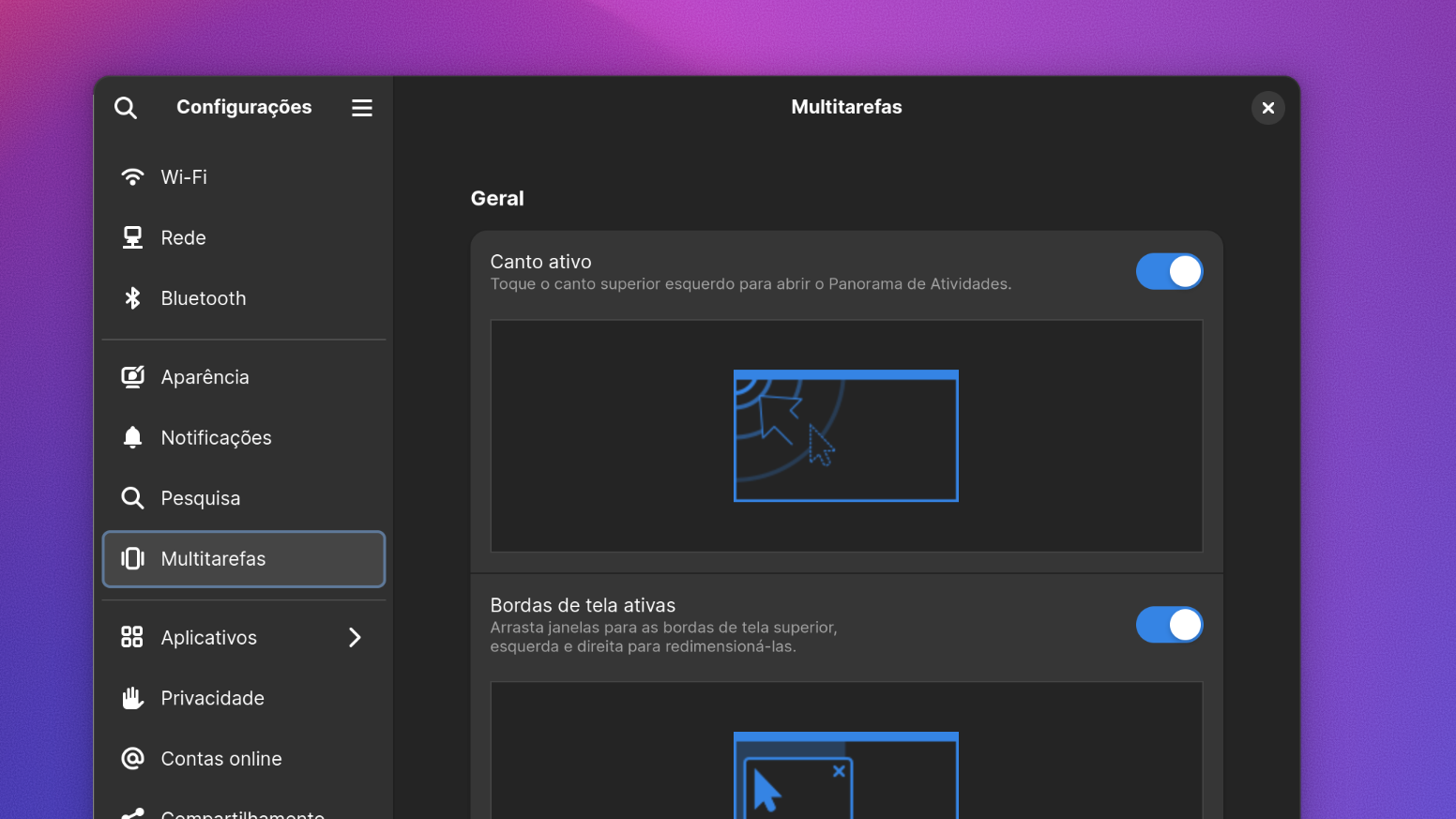
    Sadly 2023 was the year I resigned from maintainership duties of GNOME Settings. I was not feeling any pleasure on working on it anymore, and given the controversial nature of the app, the high amount of stress was simply too much to handle in my personal time. I was able to review a variety of merge requests before resigning.

    Fortunately, Felipe Borges stepped up to fill that role and is doing a fantastic job in there. I think the project is in much better and more capable hands now.

    GTK
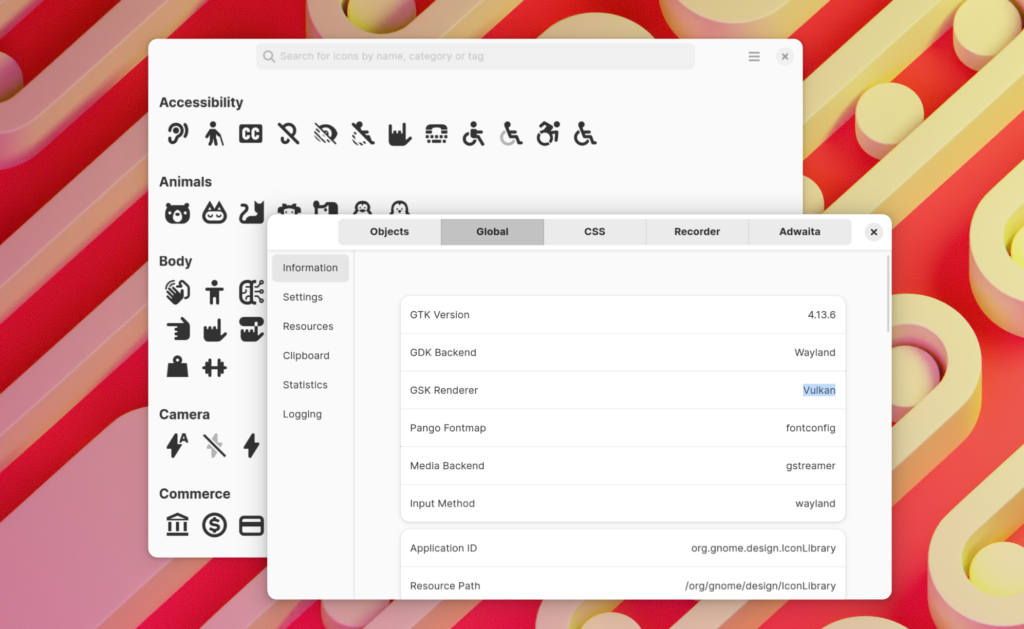
    Back in April, my interest in the Vulkan renderer peaked again, so I built and tested it. Sadly it was in a poor state. After a few rounds of bug fixes , the Vulkan renderer was in a working state once again – although many render ops weren’t implemented, like shadows, which made things slow.

    Shortly after, Benjamin began working on the new unified renderer that was merged just last week, which largely solves the Vulkan drawbacks. This is very exciting.

    Mutter & Shell
    My involvement with Mutter & Shell was not as high as it used to, and it’s mostly focused on code reviews and discussing releases and features. However, I did manage to get a few interesting things done in 2023.

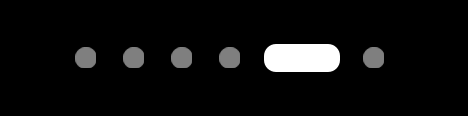
    The most notable one is probable the new workspace activities indicator:
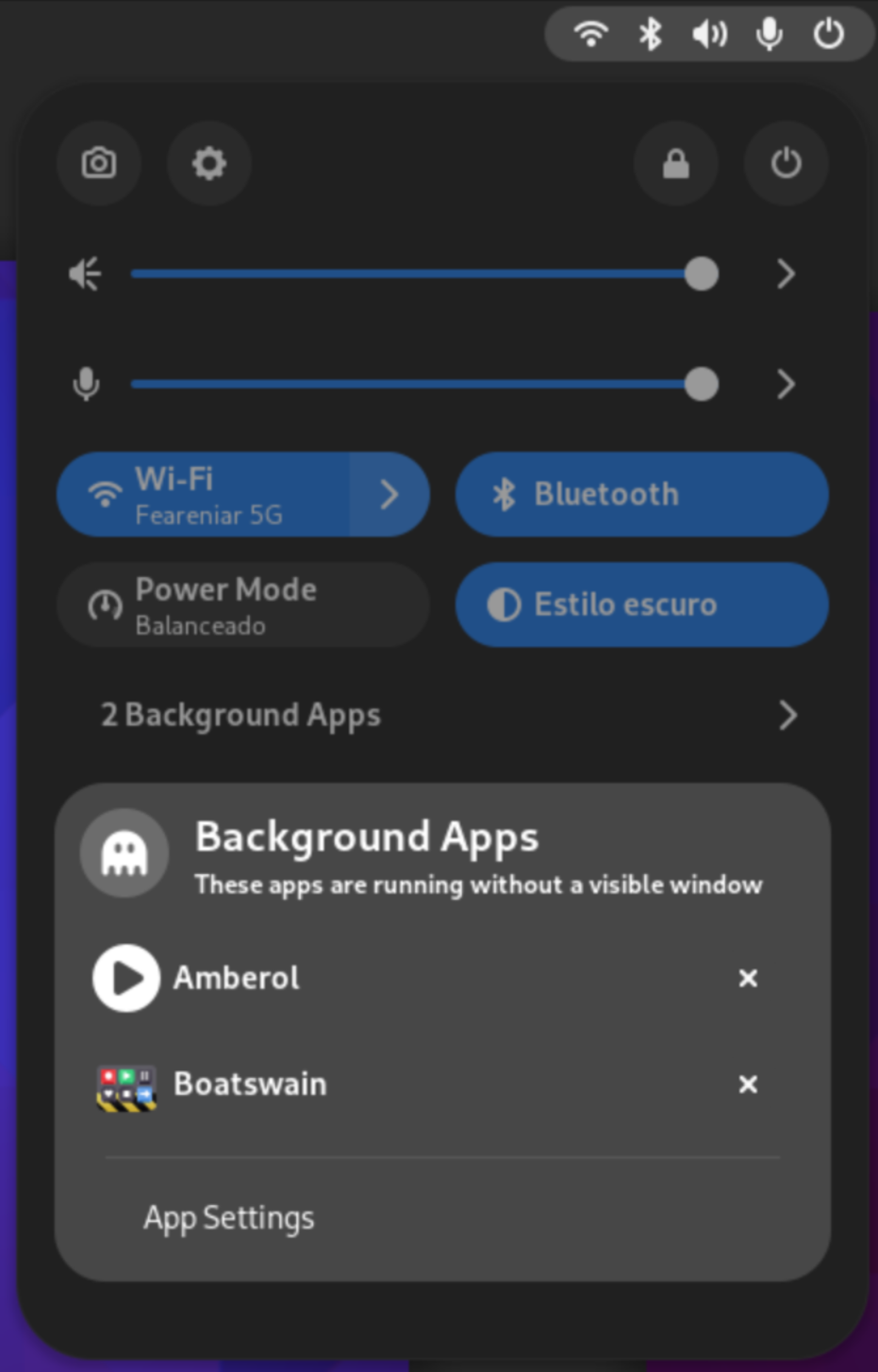
    Another interesting feature that landed on GNOME Shell that I’ve worked on, featuring XDG Desktop Portal, is the background apps monitor:
    On Mutter side, I’ve been mostly focused on improving screencasting support. More than 30 patches related to that were merged. It’s not something I can slap a fancy screenshot here, but YaLTeR ‘s profiling shows that these improvements made screencasting 5~9x faster on the most common cases.

    Software
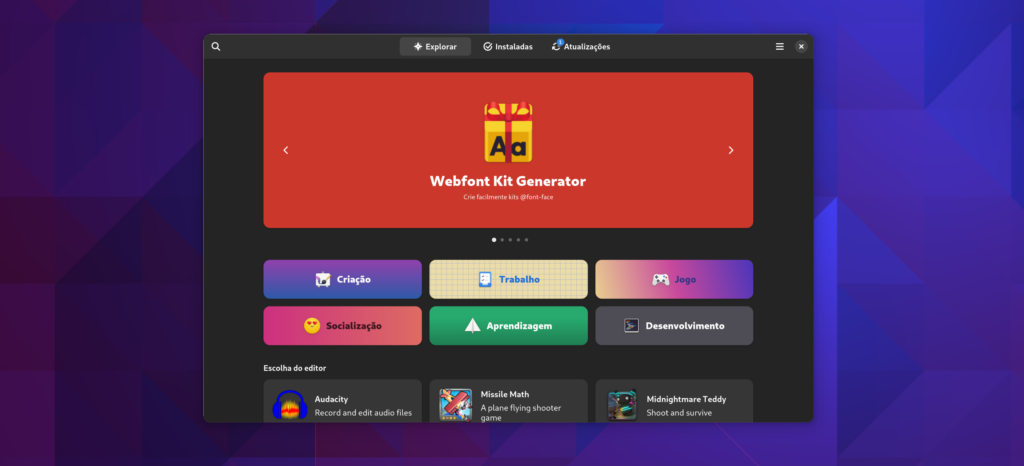
    GNOME Software

    In the first quarter of 2023, thanks to the Endless OS Foundation who allowed me to work on it, I was able to investigate and fix one big performance issue in GNOME Software that affected the perceived fluidity of the app.

    You can see how noticeable the difference is in this video:

    I wrote a lengthier article explaining the whole situation, you can read more about it here .

    Boatswain
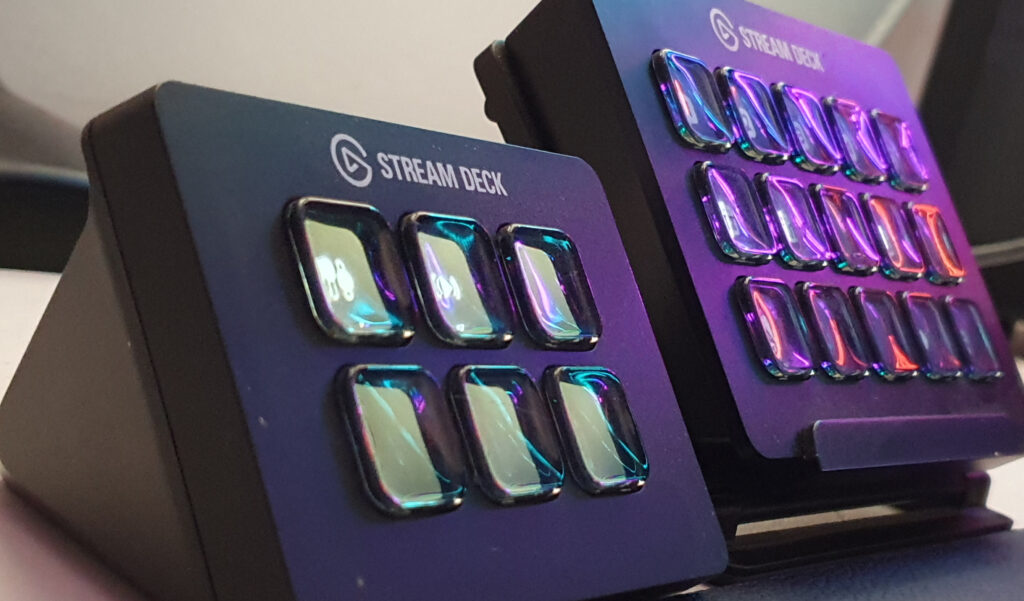
    Boatswain, my little app to control Elgato Stream Deck devices, saw 2 new releases packed with nice new features and new actions.

    Thanks to a new contributor, Boatswain is now able to send GET and POST HTTP requests. It also received a new Scoreboard action that tracks numbers and optionally saves it into a file, so you can show your score on OBS Studio.

    Boatswain now has a new user interface with 3 columns:
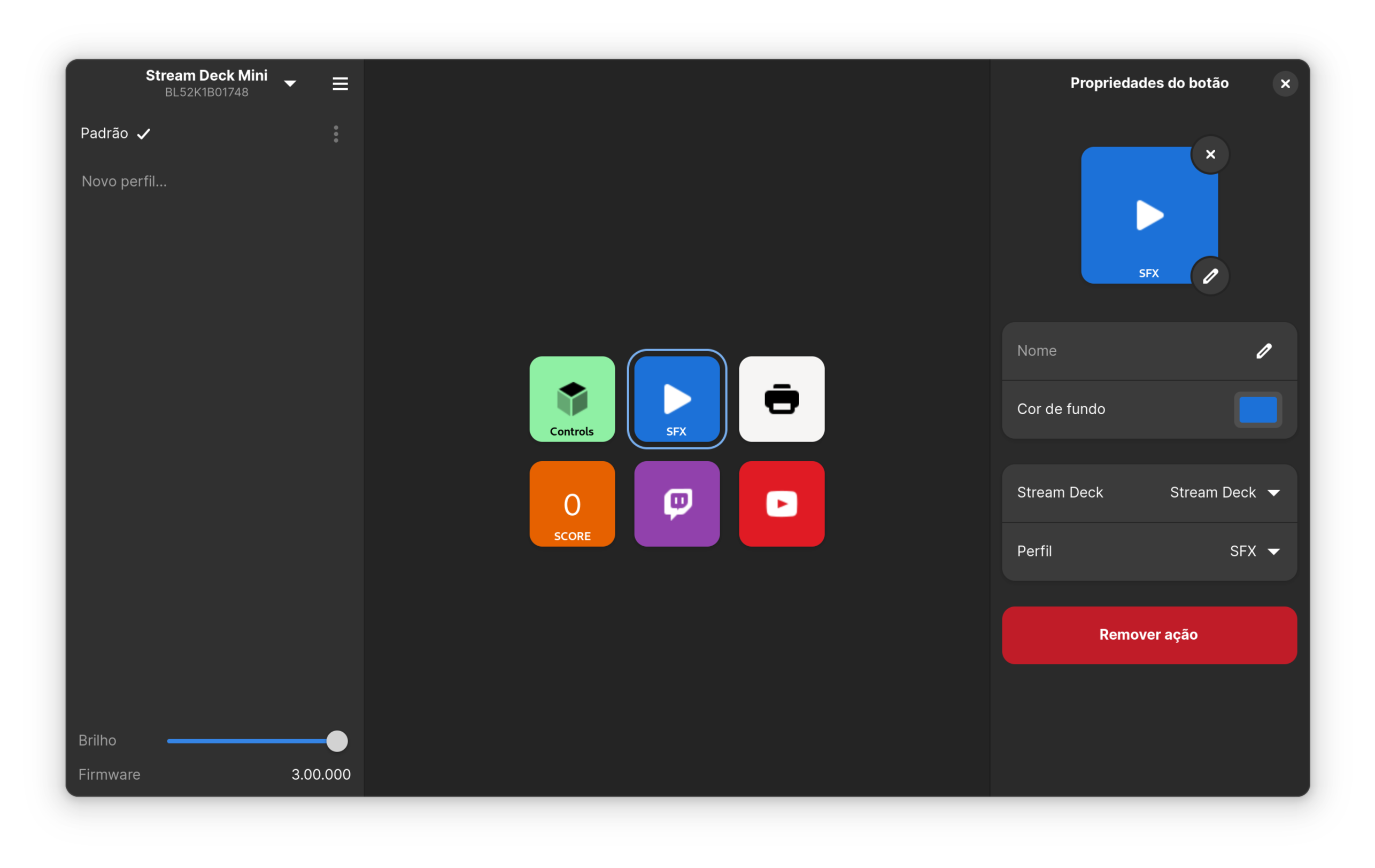
    Picture of Boatswain with 3 columns

    Recently, Boatswain gained the ability to trigger keyboard shortcuts on your host system as if it was a keyboard. This is not in any release yet, but I think it’ll cover some use cases as well.

    Some people have asked for Elgato Stream Deck Plus support, but sadly I couldn’t convince Elgato to send me an engineering sample of that device, so I’m considering doing another targeted fundraising campaign on Ko-Fi. If you’re interested in that, please let me know.

    OBS Studio
    I’ve been able to contribute a lot to OBS Studio during 2023. Funnily, most of my contributions have been on the design front, more than coding. I am definitely not a designer, so it feels slightly odd to be contributing with that. But alas, here we are.

    In 2023, I created the obsproject/design repository and pushed a variety of assets in there. It contains both the basic building blocks for the mockups (widgets, windows and dialogs, etc) and actual mockups, as well as various illustrations and assets.

    I proposed a redesigned status bar in one of the mockups, and that was promptly implemented by a community member, and now is part of the OBS Studio 30.0 release.
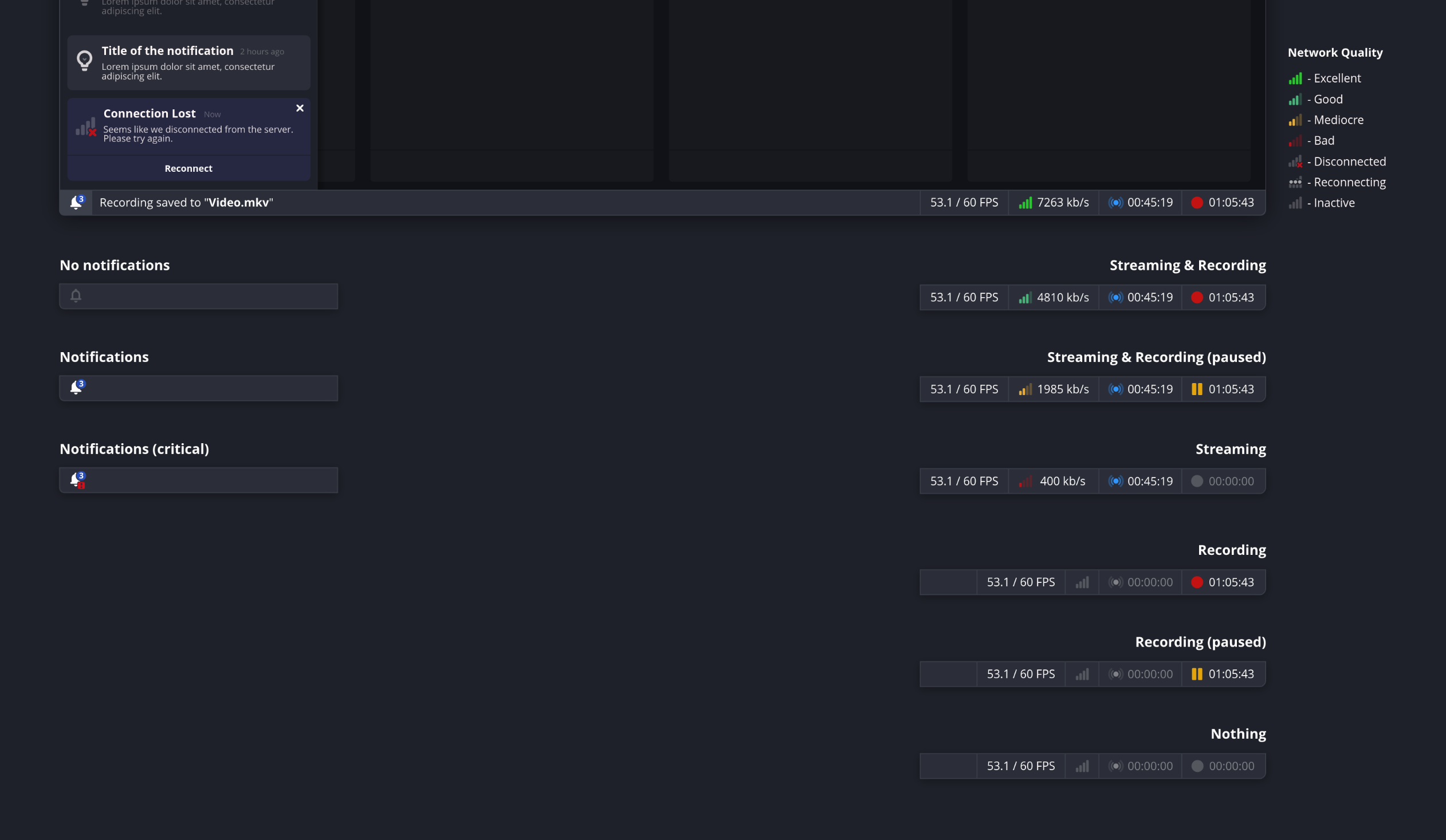
    Picture of the redesigned status bar mockup

    Thanks to the fantastic work of Warchamp7 and other contributors, the OBS Studio project now has an official color palette. This is an important milestone for the project, because so far, the colors not standardized and basically picked by eye.
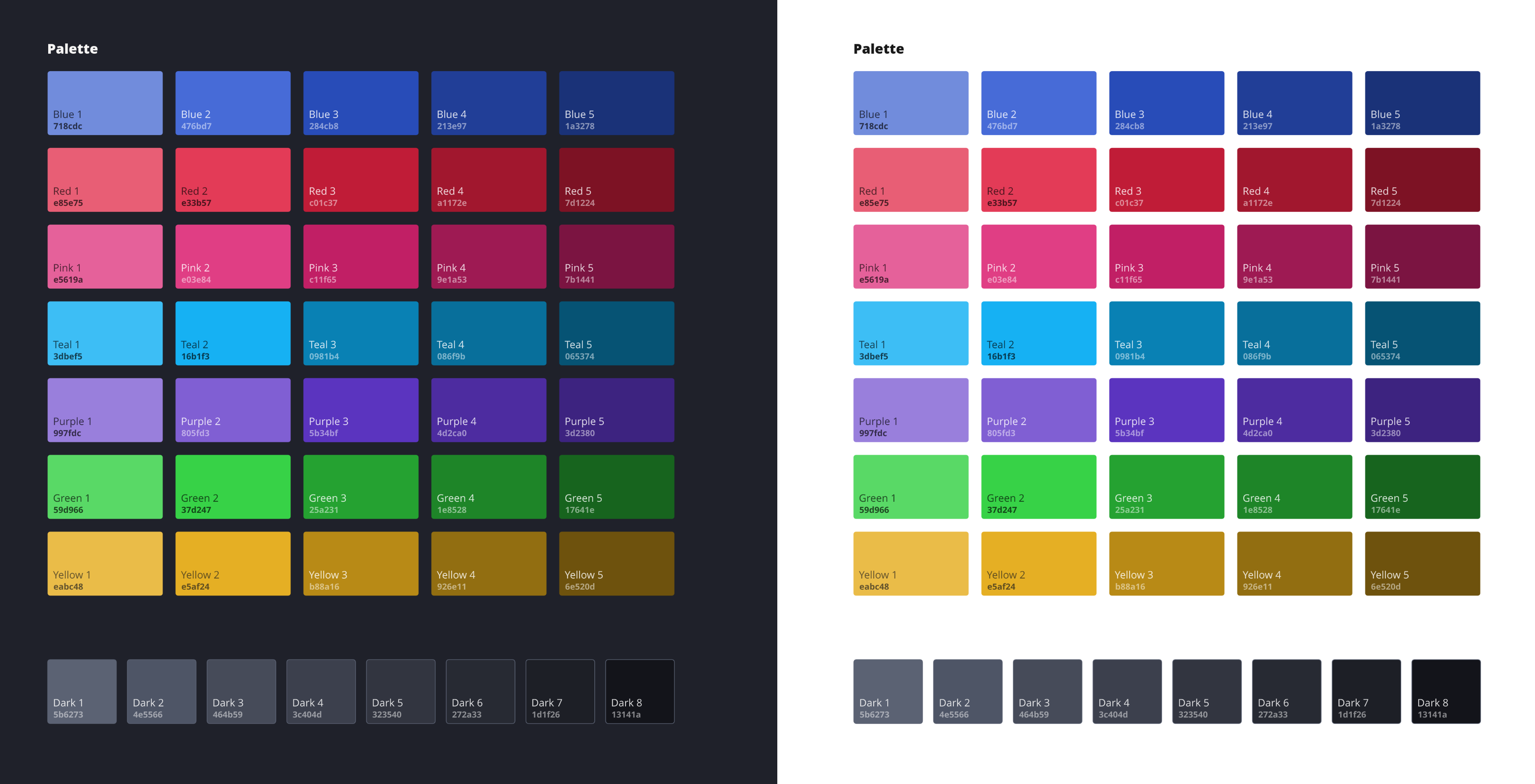
    To get a better sense of how these colors feel in practice, I’ve made a wavy background. I think it looks pretty, and certainly shows that there is a trend in the colors picked. They taste like the Yami style.

    Wavy image with the OBS Studio color palette colors

    There’s a lot more but I’ll write an article about it on the OBS Studio blog.

    On the coding front, most of my contributions during 2023 have been on code reviews, and making sure things are well maintained.

    One big feature that just landed is the Camera portal & PipeWire based camera source. It’s still in beta, and is highly experimental, but people can start testing it and reporting bugs. I’ll probably write more about it later.

    Side projects

    In addition to contributing and maintaining existing projects, I also spent some time experimenting with different kinds of apps on a variety of problem domains.

    Liveblast
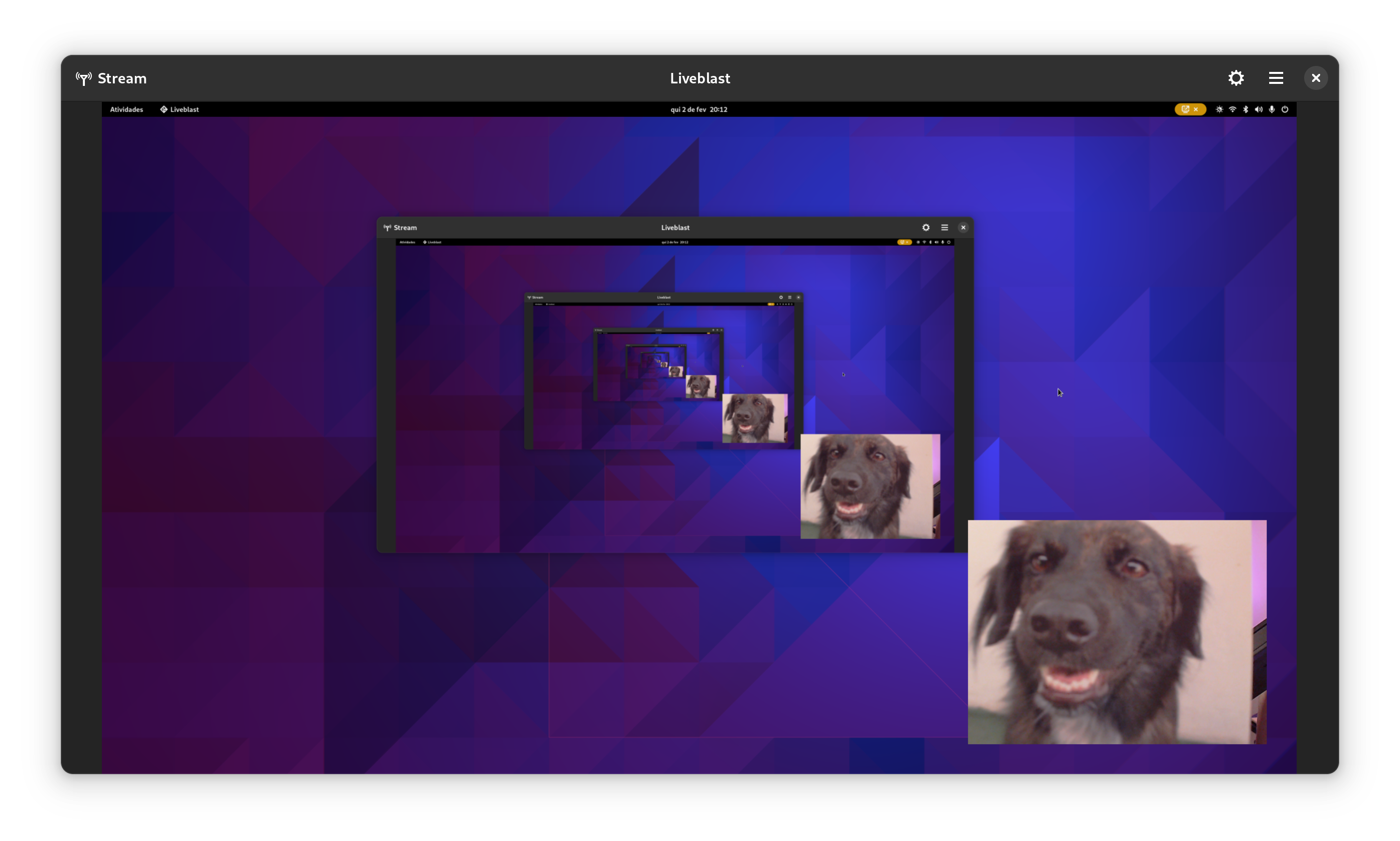
    In 2023, I started working on Liveblast, a GStreamer-based streaming app. My goals were threefold: learn a bit of Rust, learn about GStreamer, and understand the streaming problem domain a bit better.

    For the brief moment I was experimenting with it, it did ripple through the stack; most notably, I added two new features to GStreamer’s glvideomixer in order to support Liveblast’s use case better. I also improved PipeWire’s pipewiresrc element while working on Liveblast.

    The project is stalled for now. I think one of the factors is that I found the maintenance cost of Rust dependencies too high, and progress too slow to release sufficient dopamine in my brain. It’s not abandoned though, I’m just not very motivated to work on it right now.

    You can find Liveblast’s code here, if you’re interested in contributing .

    Spiel
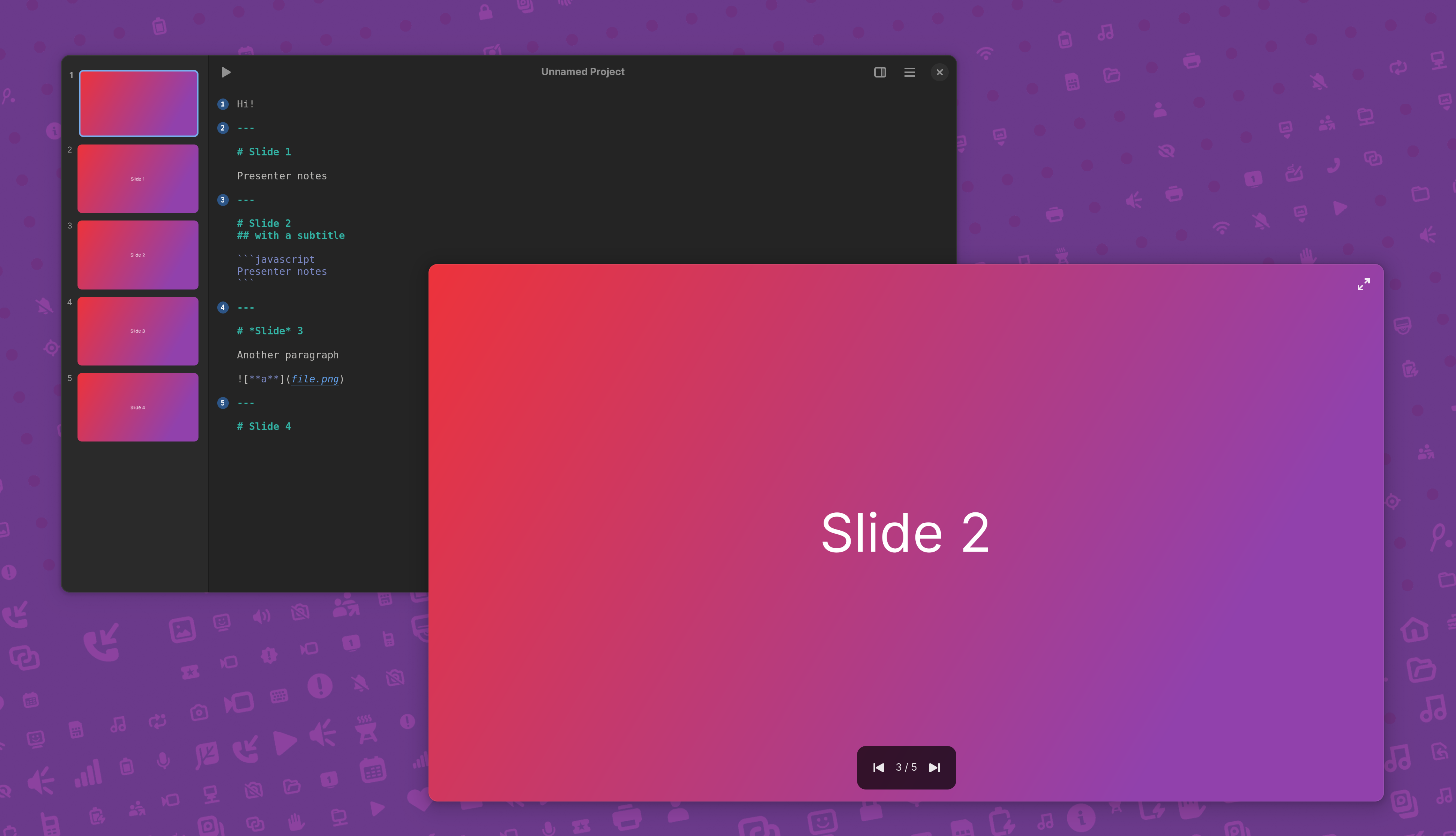
    Back in 2021, I decided to do a talk by creating a libadwaita app instead of a traditional slide deck.

    This stupid little project eventually evolved into a full blown presentation editor with static layouts, and then after Jakub’s suggestion, it shifted direction into a Markdown editor that generates slides automatically.

    After three rewrites, the project is now shaping up into something I’m starting to enjoy. There is still a lot to do, and Spiel definitely is definitely not in a usable state right now, but there’s some potential.

    My most immediate goals are adding a media gallery, so people can import and add fancy images to their talks; rename it to something else, since someone published another project called Spiel recently; add support for project themes; and more slide layouts, such as full size image and video, opening slides, etc.

    You can find Spiel’s code here, if you’re interested in contributing .

    Wastepaper
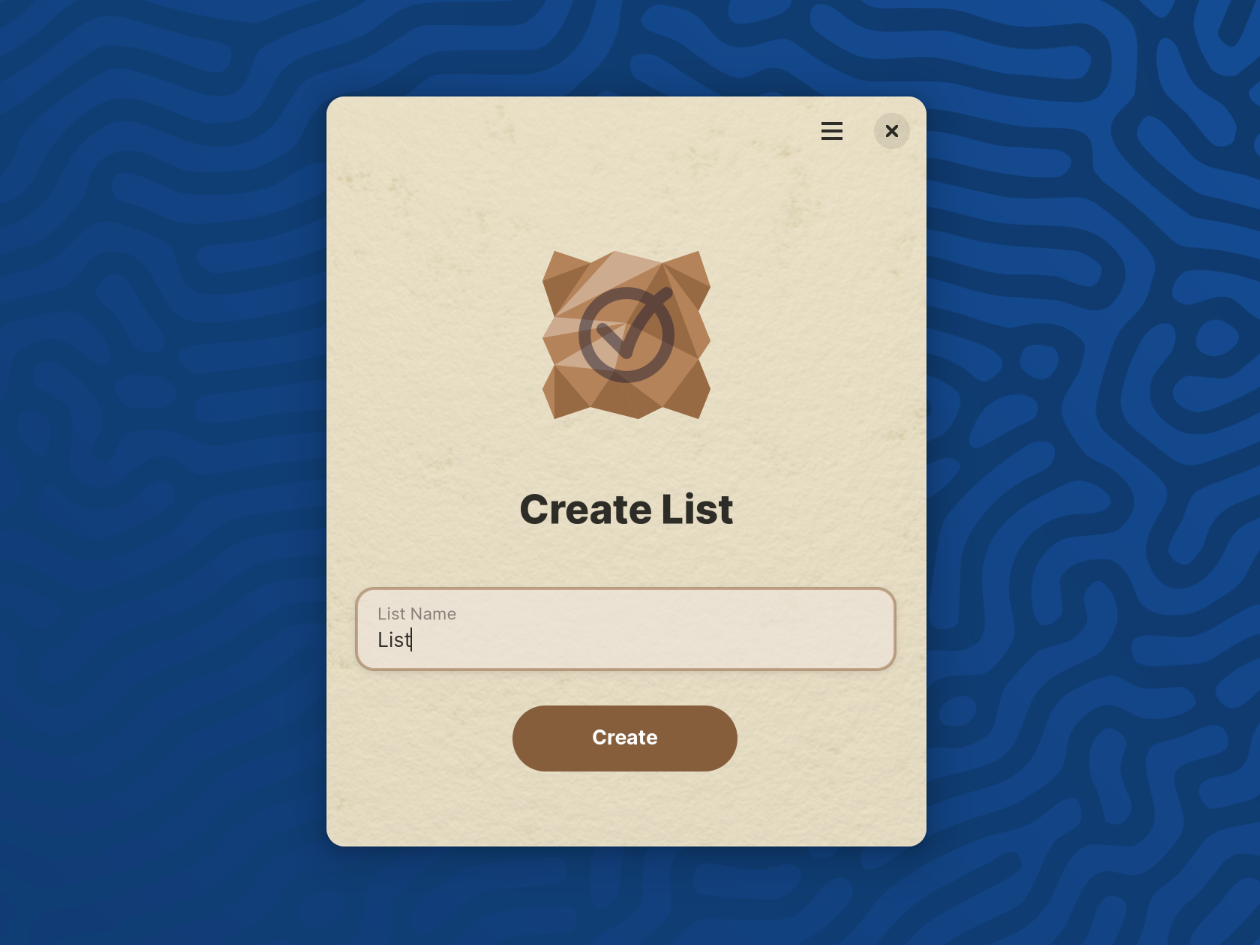
    This one is a little experiment I’m doing with throwaway task lists. The pitch is to not have any kind of persistent task lists; you open the app, add your most immediate tasks, do them, mark them as complete, and begone.

    There ain’t much to see, and it basically doesn’t work, but it’s fun 🙂

    You can find Wastepaper’s code here, if you’re interested in contributing .

    Luminen
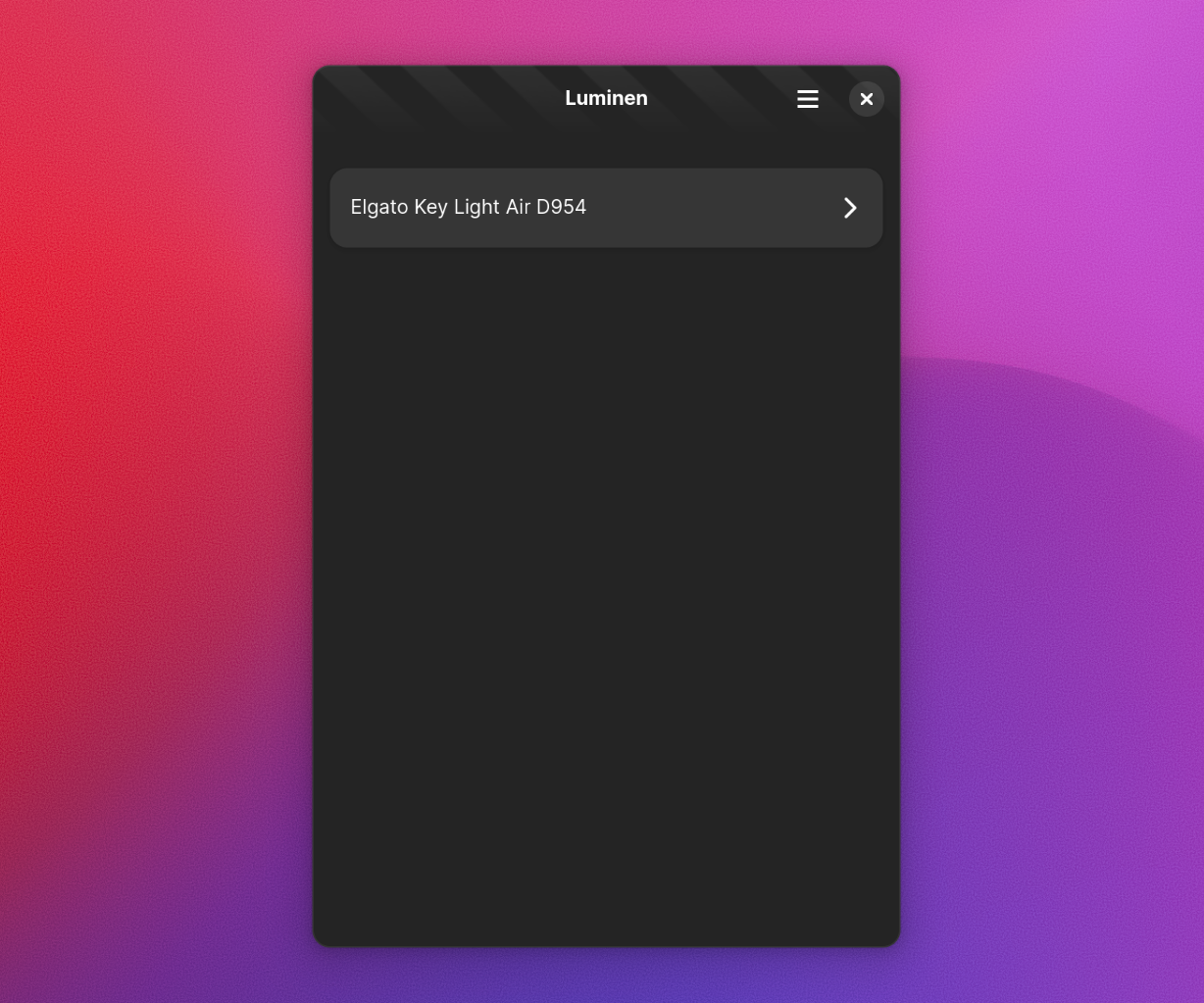
    Luminen is a little app that allows controlling lights from Elgato. Right now it supports Key Elgato Light, Elgato Key Light Air, Elgato Key Light Mini, and Elgato Ring Light. It partially supports Elgato Light Stripe.

    The project was made thanks to the generous sponsoring of my Ko-Fi supporters, who raised funds to acquire an Elgato Key Light Air (since, again, Elgato is not interested in sending any devices or engineering samples).

    The project currently works, with the caveat that you need to engage with the light using the smartphone app first. I don’t know how to implement that using Wi-Fi or Avahi, if anyone knows, I’d love to learn about that.

    You can find Luminen’s code here, if you’re interested in contributing .

    Events

    2023 was a travel-heavy year. In an online-by-default community like GNOME, it’s easy to forget how human bonds thrive when we’re physically together. Being together with other community members after such a long time was wonderful.

    Linux App Summit
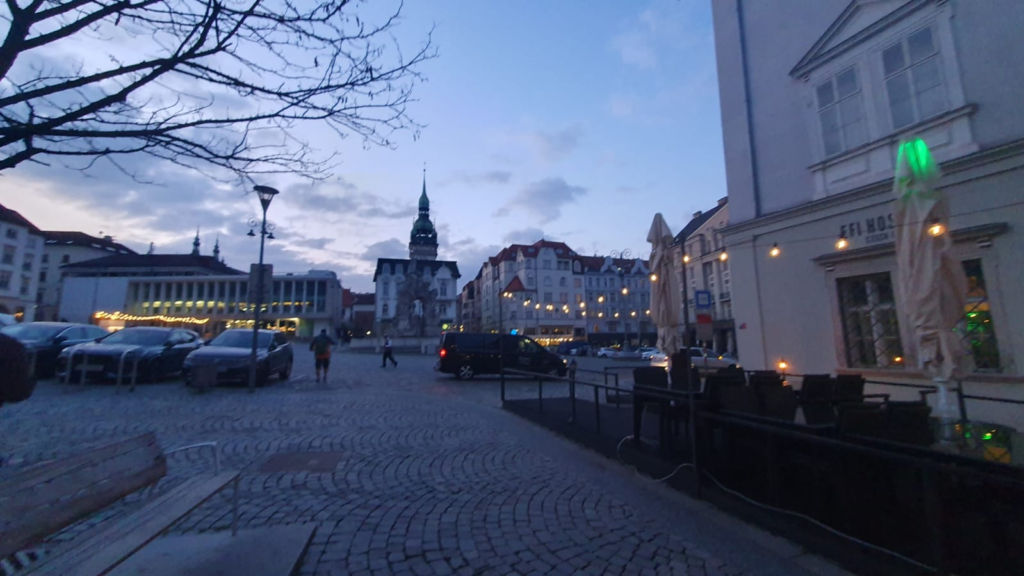
    In April 2023, I participated in Linux App Summit in Brno. It was pretty cool. There were nice talks all around, but personally I enjoyed the castle and courtyard hackfests more.

    The highlight for me was sitting right beside Bart and seeing the new Flathub website going to prod in real time, that was exciting.

    GUADEC
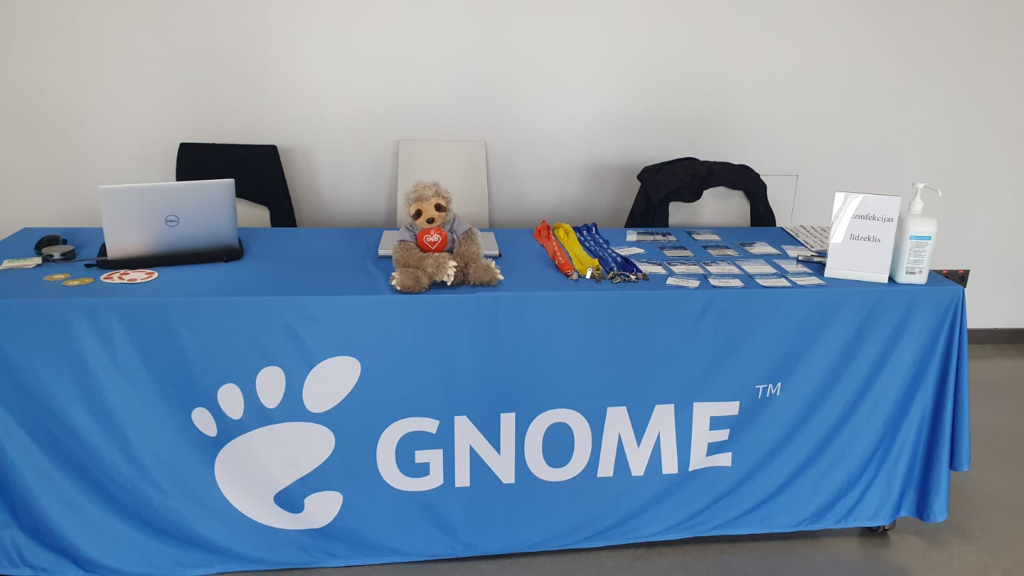
    GUADEC is always the conference I look forward the most every year, and it was no different this time. I think it was fantastic.

    The Mutter & Shell crew did the traditional State of the Shell talk. It went well. It’s not every day nor everyone that is able to say “all extensions are broken” and still get the crowd to cheer and hype, but Florian did just that! ¹

    There were nice talks about topics that interest me; the GTK status update was a nice recap of what happened; Carlos’ Codename “Emergence”: A RDF data synchronization framework was interesting too and got me thinking into the possibilities of RDF in my apps.

    But the peaks of GUADEC, to me, were Jussi’s Let’s play a game of not adding options lighting talk, and Allan’s Communication matters: a talk about how to talk online .

    The former just caught me off-guard, Jussi absolutely nailed the narrative there.

    As for the Allan’s talk, I think the choice of topic was surgical given the difficult conversations within the community at the time. And it was incredibly useful material to me. I keep coming back to this talk to reabsorb what’s in there. I can only encourage everyone to go ahead, watch it, and see how it can be applied to you.

    Ubuntu Summit
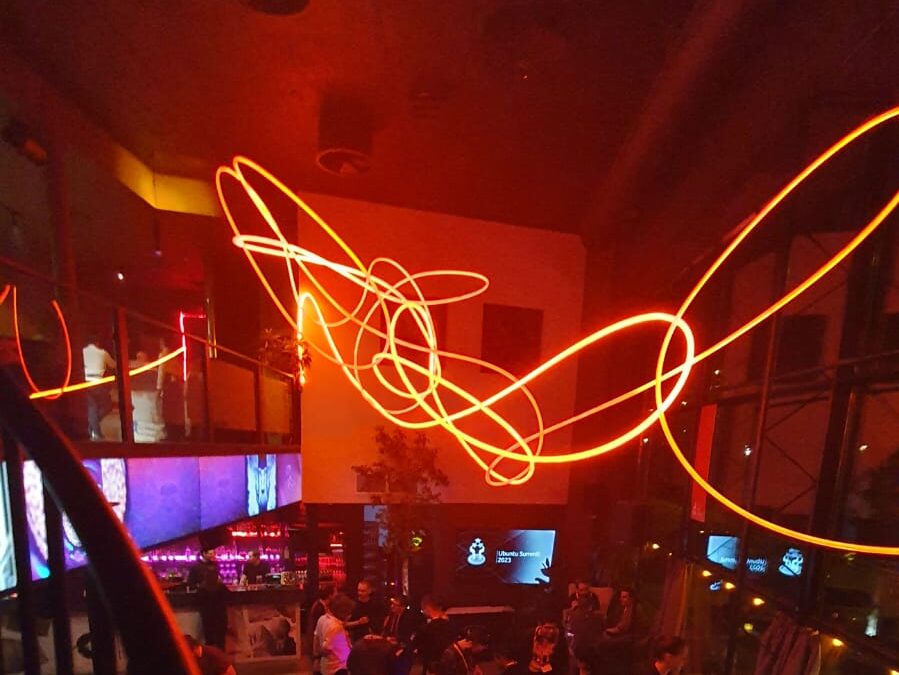
    To end the year in a good tone, I was happy to attend Ubuntu Summit and give a talk about XDG Desktop Portal in there. I was absolutely scared of giving such a talk, and almost freaked out, but in the end it all went well (I hope!) and nice conversations branched off from it. Together with Marco and Matthias, we gave a nice round of updates about GNOME to the Ubuntu community as well.

    It was a nice opportunity to see good friends again.

    Life stuff

    On a personal level, 2023 was tough. Between a head-first deep dive to hell during the first few months, uncomfortable situations all around the community, a flaming burnout, and the loss of a relative, it was pretty difficult to stay put. It made me realize how important it is to have a safety net of friends and family around you, no matter how physically close they are.

    If it wasn’t for the fantastic friends in the GNOME community, a supportive partner, and lots of therapy, I don’t think I’d have continued my involvement with free software or even the tech space.

    I think I owe an apology to all the people I hurt this year. I humbly do so now. Fortunately, things are in a better place now.

    2023 was the year that I left the Endless OS Foundation, after 8 wonderful years there. Endless was my first employer, and I hold it dear to me. Right after that, I was fortunate to join the team working with the Sovereign Tech Found grant for GNOME.

    My project officially ended December 2023, and it went relatively well. The scope of the USB portal project kept growing and changing as we learned about new constraints and whatnot, but I think I’m satisfied with the progress. I’ll continue pushing the USB portal forward independently, though admittedly with less available time.

    Lastly, 2023 was the year I managed to upload my first original song ever. Very simple and unoriginal, honestly doesn’t sound good enough, but it’s… something, I guess.

    What’s next in 2024

    I took a little break last week (and, as I type this, I realize I forgot to roll some GNOME releases!) and now I feel energized to start the year. My goals for 2024 are:

    • Try and produce more music. I want to release at least 2 more tracks this year.
    • Release Spiel, possibly as a paid app in Flathub.
    • Release Luminen, possibly as a paid app in Flathub.
    • Work on other important portals. USB is a difficult one, but there’s a plethora of smaller, less disruptive portals that can be added and will have significant impact on the platform.
    • Take more breaks and try and relax more. I’m not good at not working, and this has to change before another disaster happens.
    • Enable more devices on Linux. Adding kernel-level support for Logitech lights is in my list already, but there can be more devices depending on how many people are willing to fund them.
    • Stream more consistently, perhaps on a fixed schedule (difficult!).

    A lot of what I do is entirely on my own free time. If you benefit from my contributions or simply enjoy what I do, consider supporting me on Ko-Fi or GitHub .

    Last but not least…

    I’m joining Igalia ! I’ll be working on the Browsers team, likely on WebKit-related tasks. I’m looking forward to that.


    ¹ – Chill out, this is just a little joke. Watch the talk and see what that was about 🙂

    • chevron_right

      Felipe Borges: Updates on our internships administration

      news.movim.eu / PlanetGnome • 12 January, 2024 • 1 minute

    For the past few years I have been managing GNOME’s participation in the Google Summer of Code and Outreachy internship programs. As a former alumni myself more than a decade ago, I believe these programs are a fundamental tool to onboard new contributors to our community and to provide opportunities for contributors to learn and join a thriving open source community. While I enjoy part of this management role, I am still a developer, and some of the internship activities are really energy/time consuming. So I have been looking for ways to improve that.

    During my term as a Board member, the Board established the concept of committees, to extend the Board’s responsibilities and to solidify the Board’s position of governance and oversight . See https://wiki.gnome.org/Foundation/Committees

    Before my Board term ended, I proposed the creation of yet another committee: the Internship Committee. My goal was to increase the visibility of our internship efforts within the Board so that committee members have the resources and support they need to coordinate the programs. See https://gitlab.gnome.org/Teams/Board/-/issues/239

    Now the Board has voted to approve the creation of the committee! This means that now the Board will always have a liason member dedicated to facilitate the communication between the Board and the internship administrators. This also means that now the Internship Committee has more formal responsibilities, such as the ones defined on the committee charter. The committee already has multiple community members and is working towards improving our processeses.

    Another step I wanted to take was to produce a documentation for the internship administration processeses so that we eliminate the bus factor and have also a easy time onboarding new admins.

    I just pushed the initial version of the Internship Admin guide , containing also my personal collection of templates for communication with interns, mentors, program organizations, etc… This allows for community members to improve the processes themselves all in once place. A lot of the templates I wrote need update and rewording (contributions are welcome).

    And, while we are at it, don’t forget that we are gathering ideas for GSoC and Outreachy internships for 2024. Visit https://gitlab.gnome.org/Teams/Engagement/internship-project-ideas to learn more.

    • chevron_right

      Matthias Klumpp: Wayland really breaks things… Just for now?

      news.movim.eu / PlanetGnome • 11 January, 2024 • 17 minutes

    This post is in part a response to an aspect of Nate’s post “ Does Wayland really break everything? “, but also my reflection on discussing Wayland protocol additions, a unique pleasure that I have been involved with for the past months 1 .

    Some facts

    Before I start I want to make a few things clear: The Linux desktop will be moving to Wayland 2 – this is a fact at this point (and has been for a while), sticking to X11 makes no sense for future projects. From reading Wayland protocols and working with it at a much lower level than I ever wanted to, it is also very clear to me that Wayland is an exceptionally well-designed core protocol, and so are the additional extension protocols (xdg-shell & Co.). The modularity of Wayland is great, it gives it incredible flexibility and will for sure turn out to be good for the long-term viability of this project (and also provides a path to correct protocol issues in future, if one is found). In other words: Wayland is an amazing foundation to build on, and a lot of its design decisions make a lot of sense!

    The shift towards people seeing “Linux” more as an application developer platform, and taking PipeWire and XDG Portals into account when designing for Wayland is also an amazing development and I love to see this – this holistic approach is something I always wanted!

    Furthermore, I think Wayland removes a lot of functionality that shouldn’t exist in a modern compositor – and that’s a good thing too! Some of X11’s features and design decisions had clear drawbacks that we shouldn’t replicate. I highly recommend to read Nate’s blog post, it’s very good and goes into more detail. And due to all of this, I firmly believe that any advancement in the Wayland space must come from within the project.

    But!

    But! Of course there was a “but” coming 😉 – I think while developing Wayland-as-an-ecosystem we are now entrenched into narrow concepts of how a desktop should work. While discussing Wayland protocol additions, a lot of concepts clash, people from different desktops with different design philosophies debate the merits of those over and over again never reaching any conclusion (just as you will never get an answer out of humans whether sushi or pizza is the clearly superior food, or whether CSD or SSD is better). Some people want to use Wayland as a vehicle to force applications to submit to their desktop’s design philosophies, others prefer the smallest and leanest protocol possible, other developers want the most elegant behavior possible. To be clear, I think those are all very valid approaches.
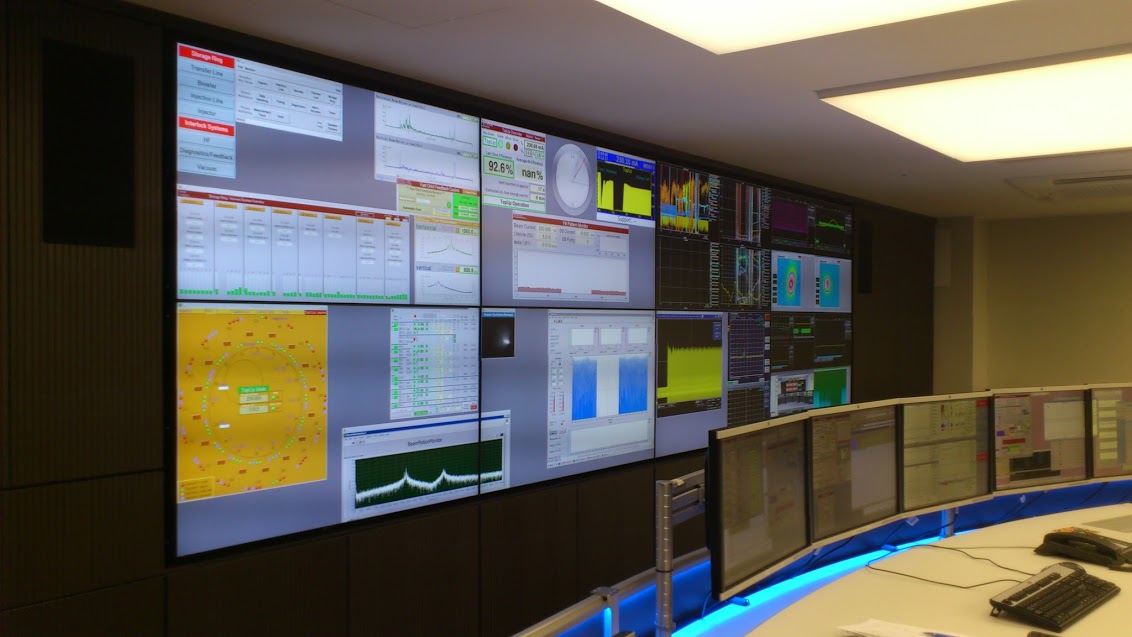
    But this also creates problems: By switching to Wayland compositors, we are already forcing a lot of porting work onto toolkit developers and application developers. This is annoying, but just work that has to be done. It becomes frustrating though if Wayland provides toolkits with absolutely no way to reach their goal in any reasonable way. For Nate’s Photoshop analogy: Of course Linux does not break Photoshop, it is Adobe’s responsibility to port it. But what if Linux was missing a crucial syscall that Photoshop needed for proper functionality and Adobe couldn’t port it without that? In that case it becomes much less clear on who is to blame for Photoshop not being available.

    A lot of Wayland protocol work is focused on the environment and design, while applications and work to port them often is considered less. I think this happens because the overlap between application developers and developers of the desktop environments is not necessarily large, and the overlap with people willing to engage with Wayland upstream is even smaller. The combination of Windows developers porting apps to Linux and having involvement with toolkits or Wayland is pretty much nonexistent. So they have less of a voice.

    A quick detour through the neuroscience research lab

    I have been involved with Freedesktop, GNOME and KDE for an incredibly long time now (more than a decade), but my actual job (besides consulting for Purism) is that of a PhD candidate in a neuroscience research lab (working on the morphology of biological neurons and its relation to behavior). I am mostly involved with three research groups in our institute, which is about 35 people. Most of us do all our data analysis on powerful servers which we connect to using RDP (with KDE Plasma as desktop). Since I joined, I have been pushing the envelope a bit to extend Linux usage to data acquisition and regular clients, and to have our data acquisition hardware interface well with it. Linux brings some unique advantages for use in research, besides the obvious one of having every step of your data management platform introspectable with no black boxes left, a goal I value very highly in research (but this would be its own blogpost).

    In terms of operating system usage though, most systems are still Windows-based. Windows is what companies develop for, and what people use by default and are familiar with. The choice of operating system is very strongly driven by application availability, and WSL being really good makes this somewhat worse, as it removes the need for people to switch to a real Linux system entirely if there is the occasional software requiring it. Yet, we have a lot more Linux users than before, and use it in many places where it makes sense. I also developed a novel data acquisition software that even runs on Linux-only and uses the abilities of the platform to its fullest extent. All of this resulted in me asking existing software and hardware vendors for Linux support a lot more often. Vendor-customer relationship in science is usually pretty good, and vendors do usually want to help out. Same for open source projects, especially if you offer to do Linux porting work for them… But overall, the ease of use and availability of required applications and their usability rules supreme. Most people are not technically knowledgeable and just want to get their research done in the best way possible, getting the best results with the least amount of friction.

    Linux usage at CERN’s LHC, for reference ( by 25years of KDE ) 3

    Back to the point

    The point of that story is this: GNOME, KDE, RHEL, Debian or Ubuntu: They all do not matter if the necessary applications are not available for them. And as soon as they are, the easiest-to-use solution wins. There are many facets of “easiest”: In many cases this is RHEL due to Red Hat support contracts being available, in many other cases it is Ubuntu due to its mindshare and ease of use. KDE Plasma is also frequently seen, as it is perceived a bit easier to onboard Windows users with it (among other benefits). Ultimately, it comes down to applications and 3rd-party support though.

    Here’s a dirty secret: In many cases, porting an application to Linux is not that difficult. The thing that companies (and FLOSS projects too!) struggle with and will calculate the merits of carefully in advance is whether it is worth the support cost as well as continuous QA/testing. Their staff will have to do all of that work, and they could spend that time on other tasks after all.

    So if they learn that “porting to Linux” not only means added testing and support, but also means to choose between the legacy X11 display server that allows for 1:1 porting from Windows or the “new” Wayland compositors that do not support the same features they need, they will quickly consider it not worth the effort at all. I have seen this happen.

    Of course many apps use a cross-platform toolkit like Qt, which greatly simplifies porting. But this just moves the issue one layer down, as now the toolkit needs to abstract Windows, macOS and Wayland. And Wayland does not contain features to do certain things or does them very differently from e.g. Windows, so toolkits have no way to actually implement the existing functionality in a way that works on all platforms. So in Qt’s documentation you will often find texts like “works everywhere except for on Wayland compositors or mobile” 4 .

    Many missing bits or altered behavior are just papercuts , but those add up. And if users will have a worse experience, this will translate to more support work, or people not wanting to use the software on the respective platform.

    What’s missing?

    Window positioning

    SDI applications with multiple windows are very popular in the scientific world. For data acquisition (for example with microscopes) we often have one monitor with control elements and one larger one with the recorded image. There is also other configurations where multiple signal modalities are acquired, and the experimenter aligns windows exactly in the way they want and expects the layout to be stored and to be loaded upon reopening the application. Even in the image from CERN above you can see this style of UI design, at mega-scale. Being able to pop-out elements as windows from a single-window application to move them around freely is another frequently used paradigm, and immensely useful with these complex apps.

    It is important to note that this is not a legacy design, but in many cases an intentional choice – these kinds of apps work incredibly well on larger screens or many screens and are very flexible (you can have any window configuration you want, and switch between them using the (usually) great window management abilities of your desktop).

    Of course, these apps will work terribly on tablets and small form factors, but that is not the purpose they were designed for and nobody would use them that way.

    I assumed for sure these features would be implemented at some point, but when it became clear that that would not happen, I created the ext-placement protocol which had some good discussion but was ultimately rejected from the xdg namespace. I then tried another solution based on feedback, which turned out not to work for most apps, and now proposed xdg-placement (v2) in an attempt to maybe still get some protocol done that we can agree on, exploring more options before pushing the existing protocol for inclusion into the ext Wayland protocol namespace. Meanwhile though, we can not port any application that needs this feature, while at the same time we are switching desktops and distributions to Wayland by default.

    Window position restoration

    Similarly, a protocol to save & restore window positions was already proposed in 2018, 6 years ago now, but it has still not been agreed upon, and may not even help multiwindow apps in its current form. The absence of this protocol means that applications can not restore their former window positions, and the user has to move them to their previous place again and again.

    Meanwhile, toolkits can not adopt these protocols and applications can not use them and can not be ported to Wayland without introducing papercuts.

    Window icons

    Similarly, individual windows can not set their own icons, and not-installed applications can not have an icon at all because there is no desktop-entry file to load the icon from and no icon in the theme for them. You would think this is a niche issue, but for applications that create many windows, providing icons for them so the user can find them is fairly important. Of course it’s not the end of the world if every window has the same icon, but it’s one of those papercuts that make the software slightly less user-friendly. Even applications with fewer windows like LibrePCB are affected , so much so that they rather run their app through Xwayland for now.

    I decided to address this after I was working on data analysis of image data in a Python virtualenv , where my code and the Python libraries used created lots of windows all with the default yellow “W” icon, making it impossible to distinguish them at a glance. This is xdg-toplevel-icon now, but of course it is an uphill battle where the very premise of needing this is questioned. So applications can not use it yet.

    Limited window abilities requiring specialized protocols

    Firefox has a picture-in-picture feature , allowing it to pop out media from a mediaplayer as separate floating window so the user can watch the media while doing other things. On X11 this is easily realized, but on Wayland the restrictions posed on windows necessitate a different solution. The xdg-pip protocol was proposed for this specialized usecase, but it is also not merged yet. So this feature does not work as well on Wayland.

    Automated GUI testing / accessibility / automation

    Automation of GUI tasks is a powerful feature, so is the ability to auto-test GUIs. This is being worked on, with libei and wlheadless-run (and stuff like ydotool exists too), but we’re not fully there yet.

    Wayland is frustrating for (some) application authors

    As you see, there is valid applications and valid usecases that can not be ported yet to Wayland with the same feature range they enjoyed on X11, Windows or macOS. So, from an application author’s perspective, Wayland does break things quite significantly, because things that worked before can no longer work and Wayland (the whole stack) does not provide any avenue to achieve the same result.

    Wayland does “break” screen sharing, global hotkeys, gaming latency (via “no tearing”) etc, however for all of these there are solutions available that application authors can port to. And most developers will gladly do that work, especially since the newer APIs are usually a lot better and more robust. But if you give application authors no path forward except “use Xwayland and be on emulation as second-class citizen forever”, it just results in very frustrated application developers.

    For some application developers, switching to a Wayland compositor is like buying a canvas from the Linux shop that forces your brush to only draw triangles. But maybe for your avant-garde art, you need to draw a circle. You can approximate one with triangles, but it will never be as good as the artwork of your friends who got their canvases from the Windows or macOS art supply shop and have more freedom to create their art.

    Triangles are proven to be the best shape! If you are drawing circles you are creating bad art!

    Wayland, via its protocol limitations, forces a certain way to build application UX – often for the better, but also sometimes to the detriment of users and applications. The protocols are often fairly opinionated, a result of the lessons learned from X11. In any case though, it is the odd one out – Windows and macOS do not pose the same limitations (for better or worse!), and the effort to port to Wayland is orders of magnitude bigger, or sometimes in case of the multiwindow UI paradigm impossible to achieve to the same level of polish. Desktop environments of course have a design philosophy that they want to push, and want applications to integrate as much as possible (same as macOS and Windows!). However, there are many applications out there, and pushing a design via protocol limitations will likely just result in fewer apps.

    The porting dilemma

    I spent probably way too much time looking into how to get applications cross-platform and running on Linux, often talking to vendors (FLOSS and proprietary) as well. Wayland limitations aren’t the biggest issue by far, but they do start to come come up now, especially in the scientific space with Ubuntu having switched to Wayland by default. For application authors there is often no way to address these issues. Many scientists do not even understand why their Python script that creates some GUIs suddenly behaves weirdly because Qt is now using the Wayland backend on Ubuntu instead of X11. They do not know the difference and also do not want to deal with these details – even though they may be programmers as well, the real goal is not to fiddle with the display server, but to get to a scientific result somehow.

    Another issue is portability layers like Wine which need to run Windows applications as-is on Wayland. Apparently Wine’s Wayland driver has some heuristics to make window positioning work (and I am amazed by the work done on this!), but that can only go so far.

    A way out?

    So, how would we actually solve this? Fundamentally, this excessively long blog post boils down to just one essential question:

    Do we want to force applications to submit to a UX paradigm unconditionally, potentially loosing out on application ports or keeping apps on X11 eternally, or do we want to throw them some rope to get as many applications ported over to Wayland, even through we might sacrifice some protocol purity?

    I think we really have to answer that to make the discussions on wayland-protocols a lot less grueling. This question can be answered at the wayland-protocols level, but even more so it must be answered by the individual desktops and compositors.

    If the answer for your environment turns out to be “Yes, we want the Wayland protocol to be more opinionated and will not make any compromises for application portability”, then your desktop should just immediately NACK protocols that add something like this and you simply shouldn’t engage in the discussion, as you reject the very premise of the new protocol: That it has any merit to exist and is needed in the first place. In this case contributors to Wayland and application authors also know where you stand, and a lot of debate is skipped. Of course, if application authors want to support your environment, you are basically asking them now to rewrite their UI, which they may or may not do.

    If the answer turns out to be “We do want some portability”, the next question obviously becomes where the line should be drawn and which changes are acceptable and which aren’t. Some written rules for that might be nice, but probably more importantly, if you agree fundamentally that there is an issue to be fixed, please engage in the discussions for the respective MRs! We for sure do not want to repeat X11 mistakes, and I am certain that we can implement protocols which provide the required functionality in a way that is a nice compromise in allowing applications a path forward into the Wayland future, while also being as good as possible and improving upon X11. For example, the toplevel-icon proposal is already a lot better than anything X11 ever had. Relaxing ACK requirements for the ext namespace is also a good proposal, as it allows some compositors to add features they want to support to the shared repository easier, while also not mandating them for others. In my opinion, it would allow for a lot less friction between the two different concepts of how Wayland protocol development should work. Some compositors could move forward, while more restrictive compositors could support less things. Applications can detect supported protocols at launch and change their behavior accordingly (ideally abstracted by toolkits).

    You may now say that a lot of apps are ported, so surely this issue can not be that bad. And yes, what Wayland provides today may be enough for 80-90% of all apps. But what I hope the detour into the research lab has done is convince you that this smaller percentage of apps matters . A lot. And that it may be worthwhile to support them.

    To end on a positive note: When it came to porting concrete apps over to Wayland, the only real showstoppers so far 5 were the missing window-positioning and window-position-restore features. I encountered them when porting my own software, and I got the issue as feedback from colleagues and fellow engineers. In second place was UI testing and automation support, the window-icon issue was mentioned twice, but being a cosmetic issue it likely simply hurts people less and they can ignore it easier.

    What this means is that the majority of apps are already fine, and many others are very, very close! A Wayland future for everyone is within our grasp! 😄

    I will also bring my two protocol MRs to their conclusion for sure, because as application developers we need clarity on what the platform (either all desktops or even just a few) supports and will or will not support in future. And the only way to get something good done is by contribution and friendly discussion.

    Footnotes

    1. Apologies for the clickbait-y title – it comes with the subject 😉 ↩
    2. When I talk about “Wayland” I mean the combined set of display server protocols and accepted protocol extensions, unless otherwise clarified. ↩
    3. I would have picked a picture from our lab, but that would have needed permission first ↩
    4. Qt has awesome “platform issues” pages, like for macOS and Linux/X11 which help with porting efforts, but Qt doesn’t even list Linux/Wayland as supported platform . There is some information though, like window geometry peculiarities , which aren’t particularly helpful when porting. ↩
    5. Besides issues with Nvidia hardware – CUDA for simulations and machine-learning is pretty much everywhere, so Nvidia cards are common, which causes trouble on Wayland still. It is improving though. ↩
    • chevron_right

      Andy Wingo: micro macro story time

      news.movim.eu / PlanetGnome • 11 January, 2024 • 1 minute

    Today, a tiny tale: about 15 years ago I was working on Guile’s macro expander . Guile inherited this code from an early version of Kent Dybvig’s portable syntax expander . It was... not easy to work with.

    Some difficulties were essential. Scope is tricky, after all.

    Some difficulties were incidental, but deep. The expander is ultimately a function that translates Scheme-with-macros to Scheme-without-macros. However, it is itself written in Scheme-with-macros, so to load it on a substrate without macros requires a pre-expanded copy of itself , whose data representations need to be compatible with any incremental change, so that you will be able to use the new expander to produce a fresh pre-expansion. This difficulty could have been avoided by incrementally bootstrapping the library . It works once you are used to it, but it’s gnarly.

    But then, some difficulties were just superflously egregious. Dybvig is a totemic developer and researcher, but a generation or two removed from me, and when I was younger, it never occurred to me to just email him to ask why things were this way. (A tip to the reader: if someone is doing work you are interested in, you can just email them. Probably they write you back! If they don’t respond, it’s not you, they’re probably just busy and their inbox leaks.) Anyway in my totally speculatory reconstruction of events, when Dybvig goes to submit his algorithm for publication, he gets annoyed that “expand” doesn’t sound fancy enough. In a way it’s similar to the original SSA developers thinking that “phony functions” wouldn’t get published .

    So Dybvig calls the expansion function “χ”, because the Greek chi looks like the X in “expand”. Fine for the paper, whatever paper that might be, but then in psyntax , there are all these functions named chi and chi-lambda and all sorts of nonsense.

    In early years I was often confused by these names; I wasn’t in on the pun, and I didn’t feel like I had enough responsibility for this code to think what the name should be. I finally broke down and changed all instances of “chi” to “expand” back in 2011, and never looked back.

    Anyway, this is a story with a very specific moral: don’t name your functions chi .

    • chevron_right

      Dorothy Kabarozi: Implementing End-to-End tests for GNOME OS with openQA: Beginner’s guide

      news.movim.eu / PlanetGnome • 11 January, 2024 • 4 minutes

    Introduction

    Welcome to the exciting world of software testing! If you’re a beginner contributor looking to delve into the realm of end-to-end testing for GNOME OS, you’ve come to the right place. In this post, I will walk you through the process of implementing end-to-end tests using a powerful open-source testing tool called openQA .This is my Outreachy project and am still on the journey as I write this.

    What is openQA?

    Simply openQA is an automated test tool for operating systems and the applications they run. It allows you to simulate a user’s interaction with your application and ensure that the entire application, including its user interface, works as expected. This is particularly useful for a complex environment like GNOME OS, where ensuring a smooth user experience is crucial.I promise you i still didn’t understand this at first until later in the process!

    Step 1: Understanding the Basics of GNOME OS

    Before diving into testing, it’s important to have a fundamental understanding of GNOME OS. GNOME OS is not a standalone operating system; rather, it’s a reference system for the GNOME desktop environment. It’s used by developers and testers to ensure that the latest codebase is functioning as expected.For this particular project I wondered how i was supposed to install it and realised i need a virtual environment to so this.Unfortunately i had an IOS system that was not supported to install it on real hardware even when i tried to install the GNOME OS using UTM for IOS.I was later advised to use Boxes from flathub.

    Step 2: Setting up the environment

    1. You must have the right hardware running on Modern Linux-based OS such as Fedora or Ubuntu At least 20GB of disk space free At least 4GB of RAM free Support for x86_64 hardware virtualization.
    2. Install Boxes , download and install the GNOME OS installer and run the initial setup on there.
    3. Follow steps on the README guide that also has a contributing guide to make your first contribution.Another major highlight not to forget is to enable KVM follow the steps here on Virtualization here.Without this you will not be able to proceed because when you run the end-to-end tests, openQA creates a x86_64 virtual machine using QEMU and KVM .
    4. Don’t forget this part was really the most challenging to get environment ready so first take it seriously and follow the attached links and incase of any issues you can reach out to the GNOME OS community here , you might probably find me there too.

    Step 3: Writing Test Scripts

    openQA tests are written in Perl. Don’t worry if you’re not familiar with Perl; basic scripting skills and a willingness to learn are enough to get started.

    1. Understand the API : Familiarize yourself with the openQA API. The openQA documentation is a great resource that highlights the TEST API showing you all methods exposed by the os-autoinst backend to be used within tests that you will be writing.
    2. Start Simple : Begin with a basic test, now in the beginning all i know is i dived deep into documention and I was worried on how to start but this CONTRIBUTING GUIDE helped me narrow down on how to start contributing.In my case i started with adding a test in settings app extending to Search as i progressed slowly to more advanced tests like the one am currently writing, Using the Gnome On Screen Keyboard test. see a11y_screen_keyboard.pm file screenshot below.refer to line 13 in the file.
    3. Needles :You will create screenshots for several steps simulating user actions taken called needles and you will reference them as you follow the contributing guide here .Line 13 above refers to the needle files a11y_typing.png and json files attached.The png highlights the screenshot showing the typing field and json file shows the exact coordinates of that typing field.

    Step 4: Running Your Tests

    Once you’ve written your tests, it’s time to run them:

    1. Make sure you have the latest Podman as highlighted in the README.md file .
    2. Ssams openqa tool:This is a small command line helper for working with the test tool OpenQA. This is what we used for working with GNOME’s OpenQA tests.This will help you to run the test.

    Step 5: Analyzing Test Results

    After the tests have run, analyze the results:

    1. Review Output : openQA provides screenshots and videos of each step of your test. Review these to understand what happened during the test run. Use save_screenshot; to capture screenshots ,this is highlighted in the TEST API highlighted above and check the output directory for test results ,logs and the .ogv video.
    2. Debug Failures : If a test fails, use the output to debug. It could be an issue with the test script highlighted in “_isotovideo.stderr.log” or an actual bug in GNOME OS.

    Step 6: Iterating on Your Tests

    1. Refine Scripts : Based on your test results, refine your scripts to cover more scenarios or improve reliability.
    2. Continuous Learning : Keep learning more about openQA Test API and how to extend more useful tests.

    Conclusion

    Implementing end-to-end tests with openQA for GNOME OS might seem daunting at first, but with patience and practice, it becomes an invaluable part of the development process. Your contribution will not only enhance the quality of GNOME OS but also give you a strong foundation in software testing. Happy testing!


    Remember, this is a journey of continuous learning and improvement. Don’t hesitate to seek help from the GNOME and openQA communities – they are incredibly supportive and a treasure trove of knowledge. Good luck! 🚀 🖥

    • chevron_right

      Michael Meeks: 2024-01-09 Tuesday

      news.movim.eu / PlanetGnome • 9 January, 2024

    • Mail chew, attempted a shorter planning call. Calc stand-up - encouraging to see the focused team & ongoing progress.
    • Poked at some slides with Lily, booked travel to the Univention Summit in a couple of weeks in Bremen.
    • chevron_right

      Allan Day: Recent GNOME design work

      news.movim.eu / PlanetGnome • 9 January, 2024 • 5 minutes

    The GNOME 46 development cycle started around October last year, and it has been a busy one for my GNOME user experience design work (as they all are). I wanted to share some details of what I’ve been working on, both to provide some insight into what I get up to day to day, and because some of the design work might be interesting to the wider community. This is by no means everything that I’ve been involved with, but rather covers the bigger chunks of work that I’ve spent time on.

    Videos

    GNOME’s video player has yet to port to GTK 4, and it’s been a long time since it’s received major UX attention. This development cycle I worked on a set of designs for what a refreshed default GNOME video player might look like. These built on previous work from Tobias Bernard and myself.

    The new Videos designs don’t have a particular development effort in mind, and are instead intended to provide inspiration and guidance for anyone who might want to work on modernising GNOME’s video playback experience.

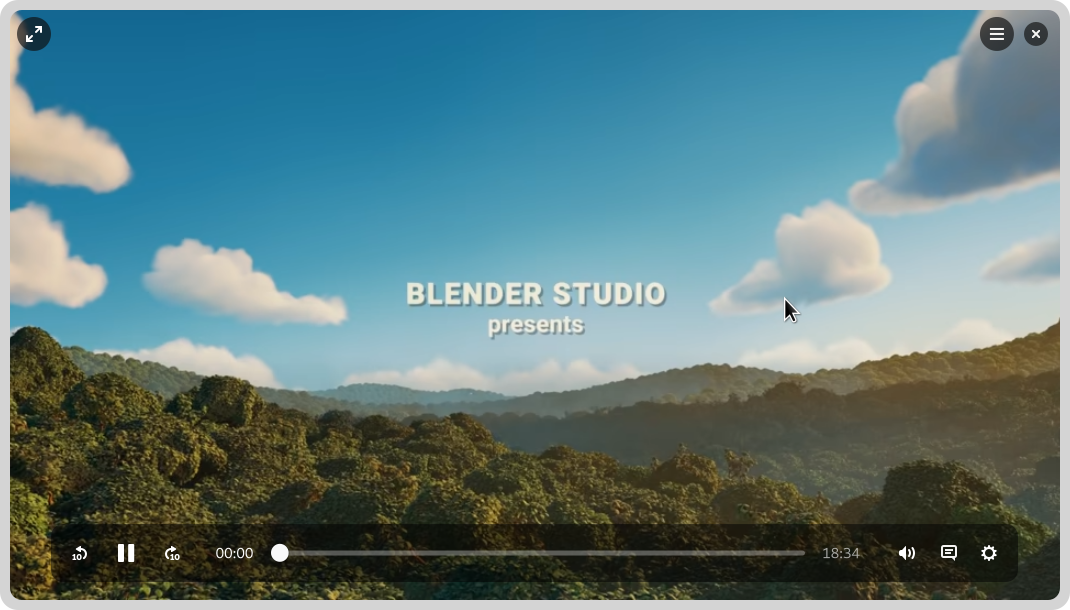
    A mockup of a video player app, with a video playing in the background and playback controls overlaid on top

    The designs themselves aim to be clean and unobtrusive, while retaining the essential features you need from a video player. There’s a familial resemblance to GNOME’s new image viewer and camera apps, particularly with regards to the minimal window chrome.

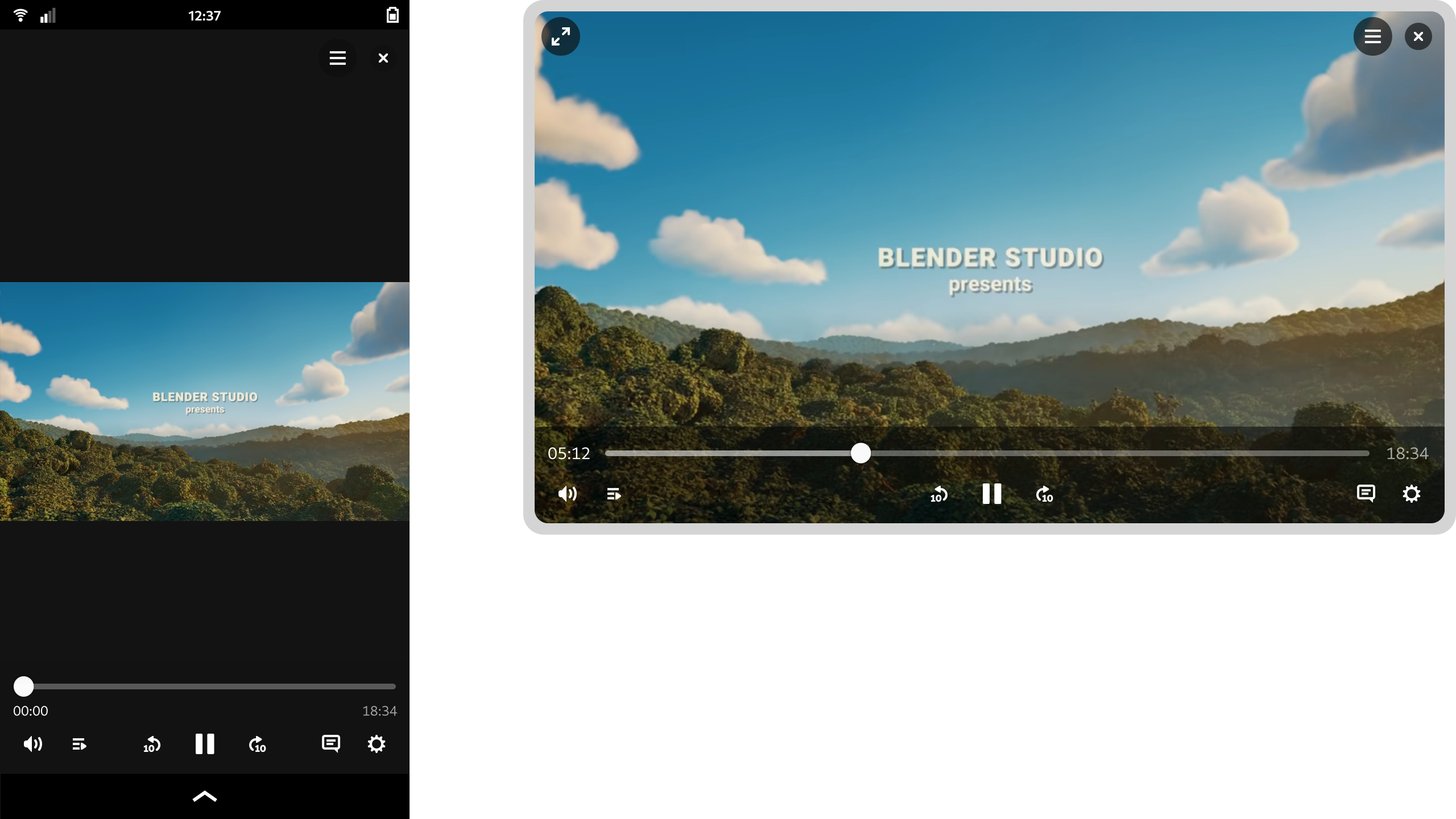
    Two mockups of the videos app, showing the window at different sizes and aspect ratios

    One feature of the design that I’m particularly happy with is how it manages to scale to different form factors. On a large display the playback controls are constrained, which avoids long pointer travel on super wide displays. When the window size is reduced, the layout updates to optimize for the smaller space. That this is possible is of course thanks to the amazing break points work in libadwaita last cycle.

    These designs aren’t 100% complete and we’d need to talk through some issues as part of the development process, but they provide enough guidance for development work to begin.

    System Monitor

    Another app modernisation effort that I’ve been working on this cycle is for GNOME’s System Monitor app . This was recently ported to GTK 4, which meant that it was a good time to think about where to take the user experience next.

    It’s true that there are other resource monitoring apps out there, like Usage, Mission Center, or Resources. However, I thought that it was important for the existing core app to have input from the design team. I also thought that it was important to put time into considering what a modern GNOME resource monitor might look like from a design perspective.

    While the designs were created in conversation with the system monitor developers (thank you Robert and Harry!) and I’d love to take them forward in that context, the ideas in the mockups are free for anyone to use and it would be great if any of the other available apps wanted to pick them up.

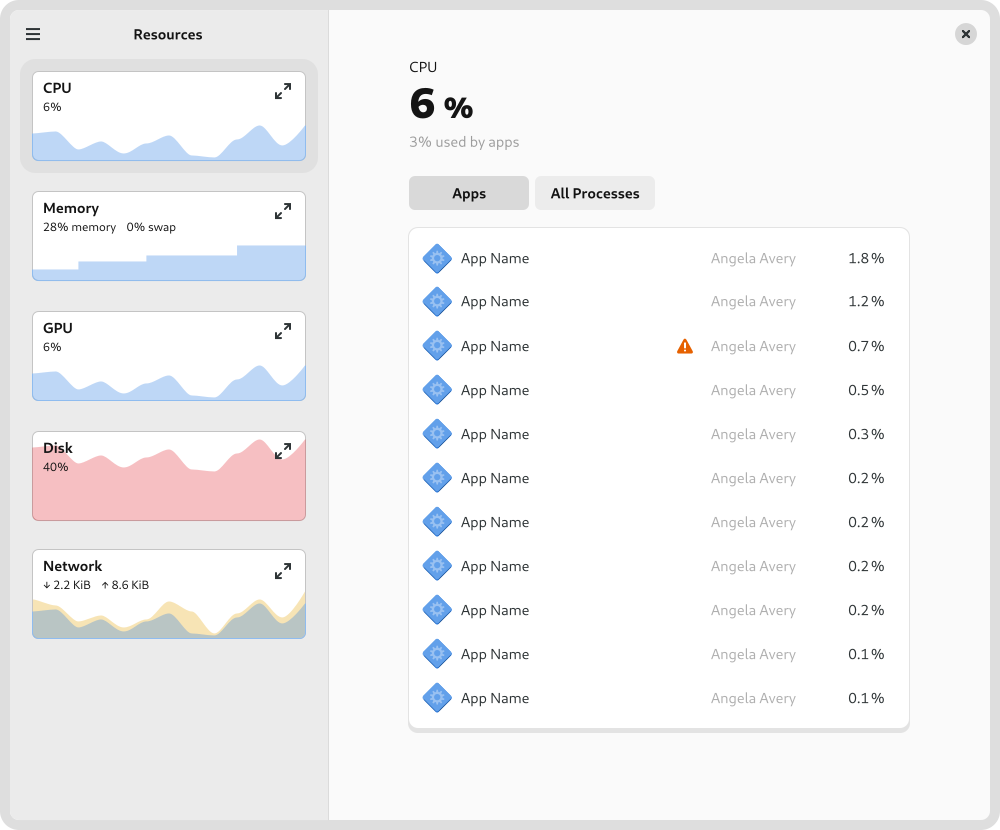
    A mockup of the system monitor app, showing a CPU usage figures and a list of apps

    One of the tricky aspects of the system monitor design is how to accommodate different types of usage. Many users just need a simple way to track down and stop runaway apps and processes. At the same time, the system monitor can also be used by developers in very specific or nuanced ways, such as to look in close detail at a particular process, or to examine multithreading behaviour.

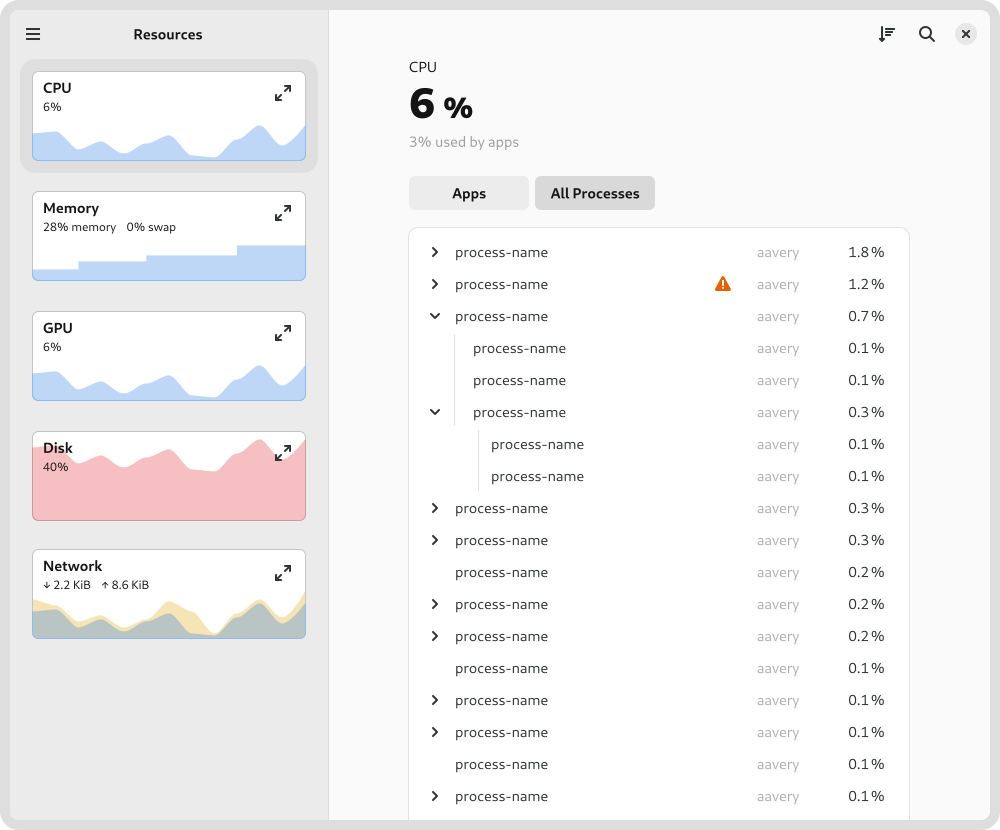
    A mockup of the system monitor app, showing CPU usage figures and a list of processes

    Rather than designing several different apps, the design attempts to reconcile these differing requirements by using disclosure. It starts of simply by default, with a series of small graphs give a high-level overview and allows quickly drilling down to a problem app. However, if you want more fine-grained information, it isn’t hard to get to. For example, to keep a close eye on a particular type of resource, you can expand its chart to get a big view with more detail, or to see how multi-threading is working in a particular process, you can switch to the process view.

    Settings

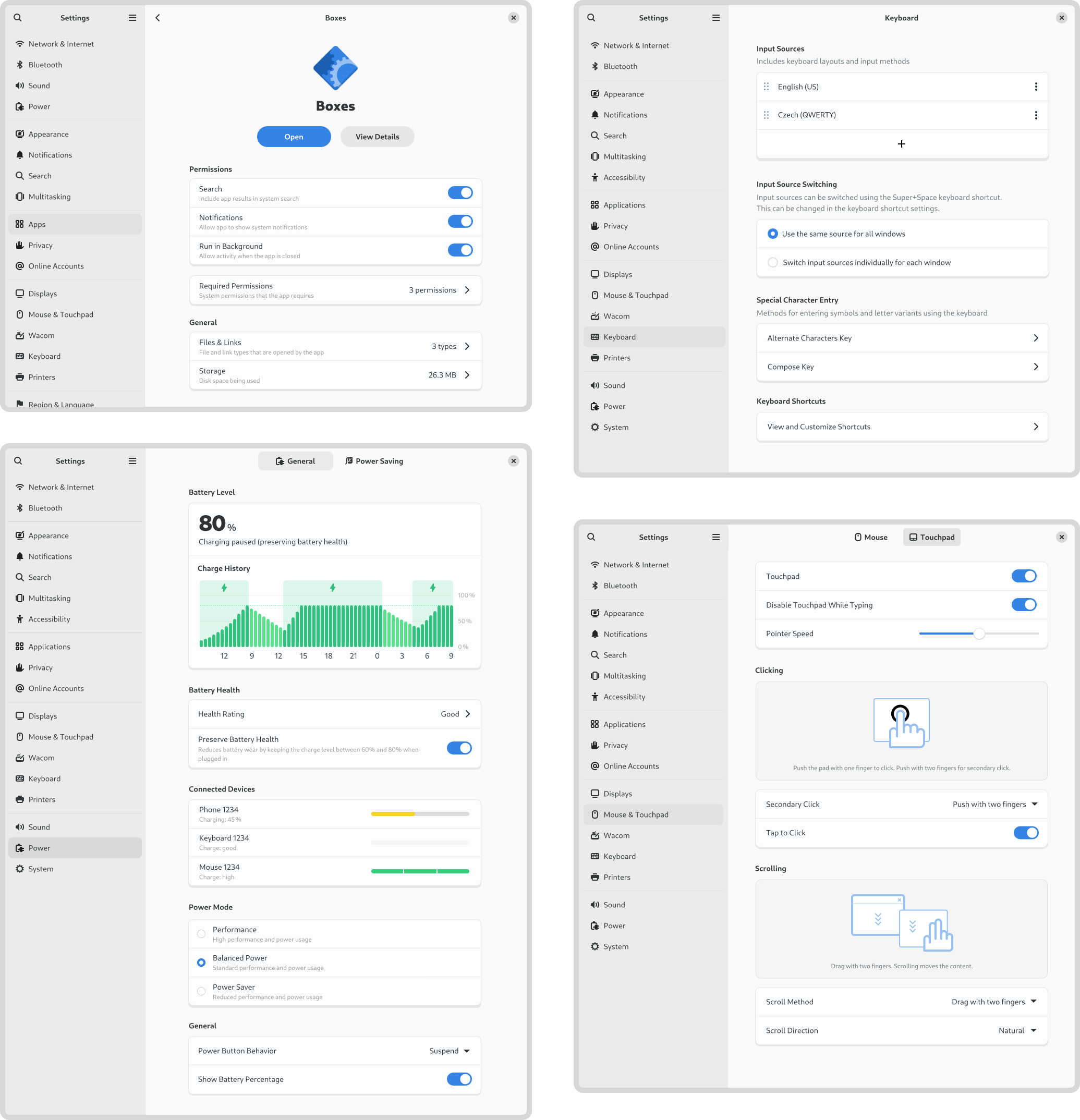
    A gallery of mockups for the Settings app, including app settings, power settings, keyboard settings, and mouse & touchpad settings

    If my work on Videos and System Monitor has largely been speculative, my time on Settings has been anything but. As Felipe recently reported , there has been a lot of great activity around Settings recently, and I’ve been kept busy supporting that work from the design side. A lot of that has involved reviewing merge requests and responding to design questions from developers. However, I’ve also been active in developing and updating various settings designs. This has included:

    • Keyboard settings:
    • Region and language settings:
      • Updated the panel mockups
      • Modernised language dialog design ( #202 )
    • Apps settings:
      • Designed banners for when an app isn’t sandboxed ( done )
      • Reorganised some of the list rows ( #2829 )
      • Designs for how to handle the flatpak-spawn permission ( !949 )
    • Mouse & touchpad settings:
    • Power
      • Updated the style of the charge history chart ( #1419 )
      • Reorganised the battery charge theshold setting ( #2553 )
      • Prettier battery level display ( #2707 )

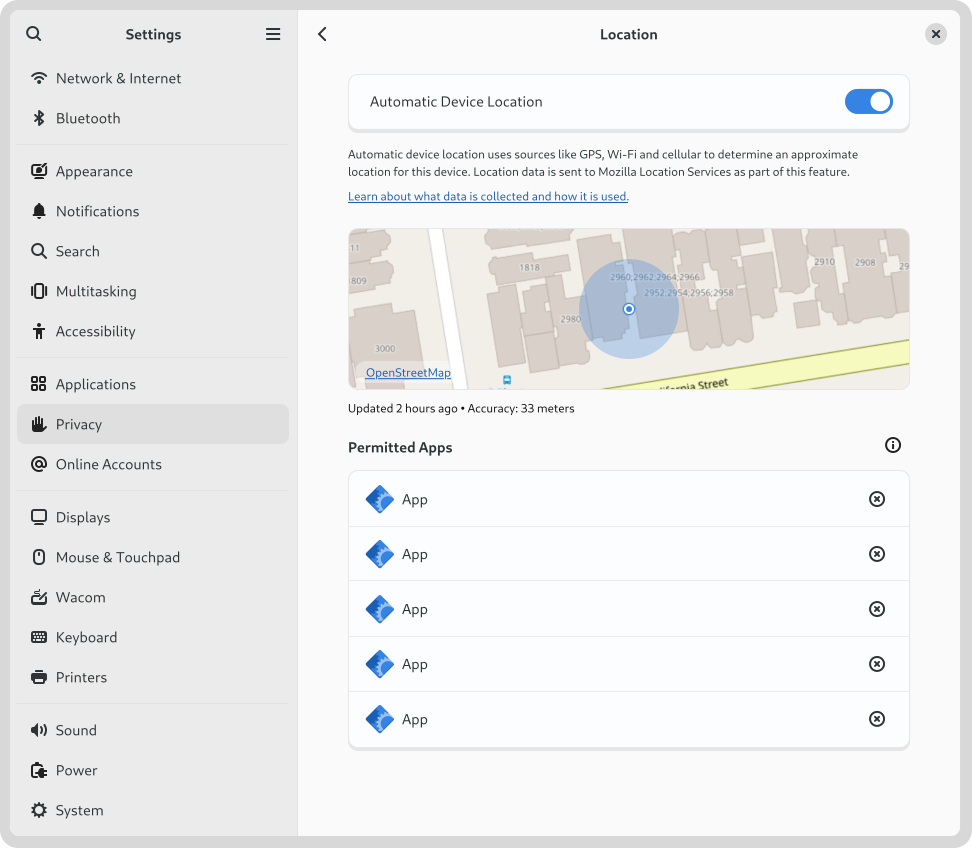
    Another settings area where I particularly concentrated this cycle was location services. This was prompted by a collection of issues that I discovered where people experience their location being determined incorrectly. I was also keen to ensure that location discovery is a good fit for devices that don’t have many ways to detect the location (say if it’s a desktop machine with no Wi-Fi).

    A mockup of the Settings app, showing the location settings with an embedded map

    This led to a round of design which proposed various things , such as adding a location preview to the panel ( #2815 ) and portal dialog ( #115 ), and some other polish fixes ( #2816 , #2817 ). As part of these changes, we’re also moving to rename “Location Services” to “Automatic Device Location”. I’d be interested to hear if anyone has any opinions on that, one way or another.

    Conclusion

    I hope this post has provided some insight into the kind of work that happens in GNOME design. It needs to be stressed that many of the designs that I’ve shared here are not being actively worked on, and may even never be implemented. That is part of what we do in GNOME design – we chart potential directions which the community may or may not decide to travel down. However, if you would like to help make any of these designs a reality, get in touch – I’d love to talk to you!