
call_end

    • chevron_right

      Philip Withnall: Parental controls screen time limits backend

      news.movim.eu / PlanetGnome • 20 November • 4 minutes
    Ignacy blogged recently about all the parts of the user interface for screen time limits in parental controls in GNOME. He’s been doing great work pulling that all together, while I have been working on the backend side of things. We’re aiming for this screen time limits feature to appear in GNOME 50.

    There’s a design document which is the canonical reference for the design of the backend, but to summarise it at a high level: there’s a stateless daemon, malcontent-timerd , which receives logs of the child user’s time usage of the computer from gnome-shell in the child’s session. For example, when the child stops using the computer, gnome-shell will send the start and end times of the most recent period of usage. The daemon deduplicates/merges and stores them. The parent has set a screen time policy for the child, which says how much time they’re allowed on the computer per day (for example, 4h at most; or only allowed to use the computer between 15:00 and 17:00). The policy is stored against the child user in accounts-service .

    malcontent-timerd applies this policy to the child’s usage information to calculate an ‘estimated end time’ for the child’s current session, assuming that they continue to use the computer without taking a break. If they stop or take a break, their usage – and hence the estimated end time – is updated.

    The child’s gnome-shell is notified of changes to the estimated end time and, once it’s reached, locks the child’s session (with appropriate advance warning).

    Meanwhile, the parent can query the child’s computer usage via a separate API to malcontent-timerd . This returns the child’s total screen time usage per day, which allows the usage chart to be shown to the parent in the parental controls user interface ( malcontent-control ). The daemon imposes access controls on which users can query for usage information. Because the daemon can be accessed by the child and by the parent, and needs to be write-only for the child and read-only for the parent, it has to be a system daemon.

    There’s a third API flow which allows the child to request an extension to their screen time for the day, but that’s perhaps a topic for a separate post.

    IPC diagram of screen time limits support in malcontent. Screen time limit extensions are shown in dashed arrows.

    So, at its core, malcontent-timerd is a time range store with some policy and a couple of D-Bus interfaces built on top.

    Currently it only supports time limits for login sessions, but it is built in such a way that adding support for time limits for specific apps would be straightforward to add to malcontent-timerd in future. The main work required for that would be in gnome-shell — recording usage on a per-app basis (for apps which have limits applied), and enforcing those limits by freezing or blocking access to apps once the time runs out. There are some interesting user experience questions to think about there before anyone can implement it — how do you prevent a user from continuing to use an app without risking data loss (for example, by killing it)? How do you unambiguously remind the user they’re running out of time for a specific app? Can we reliably find all the windows associated with a certain app? Can we reliably instruct apps to save their state when they run out of time, to reduce the risk of data loss? There are a number of bits of architecture we’d need to get in place before per-app limits could happen.

    As it stands though, the grant funding for parental controls is coming to an end. Ignacy will be continuing to work on the UI for some more weeks, but my time on it is basically up. With the funding, we’ve managed to implement digital wellbeing (screen time limits and break reminders for adults) including a whole UI for it in gnome-control-center and a fairly complex state machine for tracking your usage in gnome-shell; a refreshed UI for parental controls; parental controls screen time limits as described above; the backend for web filtering (but more on that in a future post); and everything is structured so that the extra features we want in future should bolt on nicely.

    While the features may be simple to describe, the implementation spans four projects, two buses, contains three new system daemons, two new system data stores, and three fairly unique new widgets. It’s tackled all sorts of interesting user design questions (and continues to do so). It’s fully documented, has some unit tests (but not as many as I’d like), and can be integration tested using sysexts . The new widgets are localisable, accessible, and work in dark and light mode. There are even man pages. I’m quite pleased with how it’s all come together.

    It’s been a team effort from a lot of people! Code, design, input and review (in no particular order): Ignacy , Allan , Sam , Florian , Sebastian , Matthijs , Felipe , Rob . Thank you Endless for the grant and the original work on parental controls. Administratively, thank you to everyone at the GNOME Foundation for handling the grant and paperwork; and thank you to the freedesktop.org admins for providing project hosting for malcontent!
    • chevron_right

      Michael Meeks: 2025-11-19 Wednesday

      news.movim.eu / PlanetGnome • 19 November

    • Sync with Dave, catch up with Thorsten, slides, lunch.
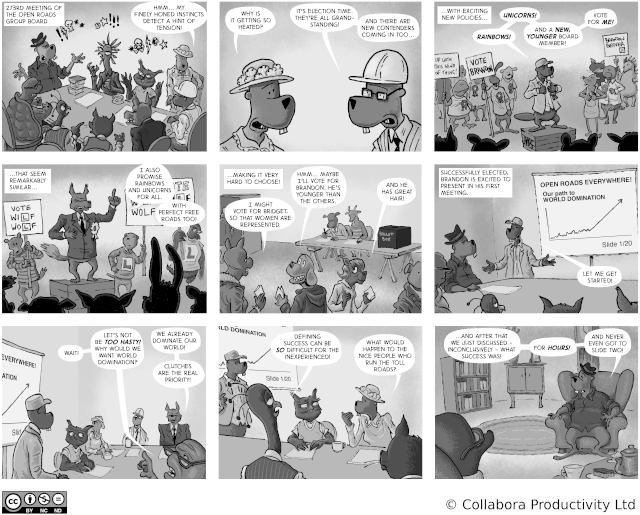
    • Published the next strip: The joy of elections:
    • Monthly all-hands call, admin.
    • chevron_right

      Michael Meeks: 2025-11-18 Tuesday

      news.movim.eu / PlanetGnome • 18 November

    • Up early, planning call, sync with Laser, slideware with Fabrice, monthly mgmt meeting, sync with Andras, admin.
    • Dinner, more E-mail and contract review in the evening.
    • chevron_right

      Lennart Poettering: Mastodon Stories for systemd v258

      news.movim.eu / PlanetGnome • 18 November • 2 minutes

    Already on Sep 17 we released systemd v258 into the wild .

    In the weeks leading up to that release I have posted a series of serieses of posts to Mastodon about key new features in this release, under the #systemd258 hash tag. It was my intention to post a link list here on this blog right after completing that series, but I simply forgot! Hence, in case you aren't using Mastodon, but would like to read up, here's a list of all 37 posts:

    I intend to do a similar series of serieses of posts for the next systemd release (v259), hence if you haven't left tech Twitter for Mastodon yet, now is the opportunity.

    We intend to shorten the release cycle a bit for the future, and in fact managed to tag v259-rc1 already yesterday, just 2 months after v258. Hence, my series for v259 will begin soon, under the #systemd259 hash tag.

    In case you are interested, here is the corresponding blog story for systemd v257 , and here for v256 .

    • chevron_right

      Christian Hergert: Status Week 46

      news.movim.eu / PlanetGnome • 17 November • 5 minutes

    Ptyxis

    • More back and forth on people who have issues with diacritics and ibus interaction. It’s extremely frustrating at times because the two places where stuff like this gets reported first is the text editor and terminal, when rarely those two applications have anything to do with the issue.

      In this case we might have a workaround by being a bit more explicit about focus grabs.

    • Merge support for changing profile on existing tab.

    VTE

    • Back-and-forth on updating MR for PTY errno, merge to master, vte-0-82, possibly backport further for RHEL/CentOS.

    • Research some us dead key issues with diacritics and see if we can find where in VTE a problem could be. Text Editor apparently doesn’t replicate the same issue, so it’s possible we should fix something in VTE directly or in GTK IM abstractions. As mentioned in Ptyxis we can probably work around this for now.

    Foundry

    • Now that foundry has support for API keys we need to have a mechanism to rotate those keys (and query for expiration). FoundryKeyRotator provides this abstraction to FoundrySecretService .

      This comes with foundry secret rotate HOST SERVICE which makes it easy to keep things up-to-date. It would be nice to do this automatically at some point though it’s rather annoying because you’ll get an email about it, at least from gitlab.

      To check the expiration, foundry secret check-expires-at is provided check again, takes a HOST SERVICE pair.

      Defaults to what the server wants for minimum key lifetime, or you can provide --expire-at=YYYY-MM-DD to specify expiration.

    • Implement symbol APIs for FoundryTextDocument which will power things like the symbol tree, what symbol is underneath my cursor, symbol path bars, and the like. Also added some command line tools for this so that it is easy to test the infrastructure when issues are inevitably filed.

      foundry symbol-tree FILE and foundry find-symbol-at FILE LN COL will quickly test the machinery for filing bug reports.

    • Updated the CTags parser (which is our usually “first implementation” symbol provider) out of simplicity. Allow it to generate data to GBytes instead of files on disk for usage on modified buffers. Also allow it to load an index from memory w/o touching disk for the other side of this index structure.

    • GCC changed the SARIF environment variable to EXPERIMENTAL_SARIF_SOCKET so track that for GCC 16 release.

    • Handy foundry_read_all_bytes(int fd) to exhaust a FD into a GBytes using the libdex AIO subsystem ( io_uring , etc).

    • Prototype a tree-sitter based plugin for symbol providers so we can have some faster extractors at least for some very common languages.

    • Add FoundrySymbolLocator for locating symbols by a number of strategies that can be different based on the provider. Combine this with a new FoundrySymbolIntent to integrate into the intent system.

    • Implement FoundryPathNavigator for use in future pathbar work. Add subclasses for FoundrySymbolNavigator and FoundryDocumentationNavigator to make pathbars of those common hierarchies super easy from applications. A FoundryFileNavigator to be able to navigate the file-system. This ties in well with the intent system so activating path elements routes through intents like open-file intent, symbol intent, etc.

    • Implement FoundryPathBar and associated infrastructure for it to be abstracted in libfoundry-adw.

    • Implement LSP progress operations ( $/progress and creation operations) so we can bridge them to FoundryOperation . Had to implement some missing bits of FoundryJsonrpcDriver while at it.

    • Improve support for LSP symbol APIs, particularly around support for hierarchical symbol trees. Newer revisions allow for symbols to contain other symbols rather than trying to recreate it from the containerName .

    • Discovered that there is an upper-limit to the number of GWeakRef that can be created and that number is surprisingly lower than I would expect. Sure there is extra overhead with weak refs, but having limits so low is surely a mistake.

    • Lots of work on LSP implementation to bridge things like diagnostics and symbols. It is amazing now much easier it is to do this time around now that I have fibers instead of callback noodles.

    • We have a much saner way of implementing buffer tracking this time around (especially after pushing commit notify into GTK) so the LSP integration around buffer synchronization has a cleaner implementation now.

    • Add tooltips support to the diagnostics gutter renderer.

    • A new “retained” listmodel which allows you to hold/release items in a list model and they’ll stay pinned until the hold count reaches zero. This is helpful for situations where you don’t want to affect an item while there is a mouse over something, or a popover is shown, that sort of deal. I didn’t opt for the scalable RBTree implementation yet, but someone could certainly improve it to do so.

    Buider

    • Work on the new auxiliary panel design which will work a bit like it does in Text Editor but allow for panel groupings.

    • Symbols panel implementation work using the new symbol providers. Implement symbol intent handling as well to tie it all together.

    • Implement pathbar integration into text editor and documentation browser using new navigator integration.

    • Diagnostics panel for monitoring diagnostics across the active page without having to resort to scanning around either the global diagnostics or within the gutter.

    • Add annotation provider so we can show diagnostics/git-blame like we do now but in a much more optimized manner. Having diagnostics inline is new though.

    • Lots of styling work for the auxiliary panel to try to make it work well in the presence of a grid of documents. A bit harder to get right than in Text Editor.

    • Ergonomics for the messages panel (clipboard support, clearing history, etc).

    • Work on operation bay for long running operations similar to what Nautilus does. This will handle things like progress from LSPs, deployment to remote devices, etc.

    CentOS

    • libadwaita backports. This one is rather frustrating because I’ve been told we can’t do sassc on the build infrastructure and since 1.6.3 libadwaita no longer generates the CSS on CI to be bundled with the tarball.

      So continue with the madness of about 60 patches layered on top of 1.6.2 to keep things progressing there. One patch won’t get in because of the CSS change which is unfortunate as it is somewhat a11y related.

      At the moment the options are (given the uncompromising no-sassc restriction), to keep back-porting and not get CSS changes, to pull in newer tarballs and generate the CSS on my machine and patch that in, or just keep doing this until we can *gestures* do something more compromising on the CentOS build infrastructure.

    • VTE backports for 0.78.6

    GtkSourceView

    • Branched for 5.20 development so we can start adding new features.

    • Fix a gir annotation on GtkSourceAnnotation that had wrong transfer.

    • Make GtkSourceAnnotation right justified when it fits in the available space.

    • Add some nice styling to annotations so they are bit more pleasing to look at.

    • chevron_right

      Code of Conduct Committee: Transparency report for May 2025 to October 2025

      news.movim.eu / PlanetGnome • 15 November • 2 minutes

    GNOME’s Code of Conduct is our community’s shared standard of behavior for participants in GNOME. This is the Code of Conduct Committee’s periodic summary report of its activities from May 2025 to October 2025.

    The current members of the CoC Committee are:

    • Anisa Kuci
    • Carlos Garnacho
    • Christopher Davis
    • Federico Mena Quintero
    • Michael Downey
    • Rosanna Yuen

    All the members of the CoC Committee have completed Code of Conduct Incident Response training provided by Otter Tech, and are professionally trained to handle incident reports in GNOME community events.

    The committee has an email address that can be used to send reports: conduct@gnome.org as well as a website for report submission: https://conduct.gnome.org/

    Reports

    Since May 2025, the committee has received reports on a total of 25 possible incidents. Many of these were not actionable; all the incidents listed here were resolved during the reporting period.

    • Report on a conspiracy theory, closed as not actionable.
    • Report that was not actionable.
    • Report about a blog post; not a CoC violation and not actionable.
    • Report about interactions in GitLab; not a CoC violation and not actionable.
    • Report about a blog post; not a CoC violation and not actionable.
    • Question about an Export Control Classification Number (ECCN) for GDM; redirected to discourse.gnome.org.
    • Report about a reply in GitLab; not a CoC violation; pointed out resources about unpaid/volunteer work in open source.
    • Report about a reply in GitLab; not a CoC violation but using language against the community guidelines; sent a reminder to the reported person to use non-violent communication.
    • Two reports about a GNOME Shell extension; recommended actions to take to the extension reviewers.
    • Report about another GNOME Shell extension; recommended actions to take to the extension reviewers.
    • Multiple reports about a post on planet.gnome.org; removed the post from the feed and its site.
    • Report with a fake attribution; closed as not actionable.
    • Report with threats; closed as not actionable.
    • Report with a fake attribution; closed as not actionable.
    • Report that was not actionable.
    • Support request; advised reporter to direct their question to the infrastructure team.
    • Report closed due to not being actionable; gave the reporter advice on how to deal with their issue.
    • Report about a reply in GitLab; reminded both the reporter and reported person how to communicate appropriately.
    • Report during GUADEC about an incident during the conference; in-person reminder to the reported individual to mind their behavior.
    • Report about a long-standing GitLab interaction; sent a request for a behavior change to the reported person.
    • Report on a conspiracy theory, closed as not actionable.
    • Report about a Mastodon post, closed as it is not a CoC violation.
    • Report closed due to not being actionable, and not a CoC violation.
    • Report closed due to not being actionable, and not a CoC violation.
    • Report closed due to not being actionable, and not a CoC violation.

    Meetings of the CoC committee

    The CoC committee has two meetings each month for general updates, and weekly ad-hoc meetings when they receive reports. There are also in-person meetings during GNOME events.

    Ways to contact the CoC committee

    • https://conduct.gnome.org – contains the GNOME Code of Conduct and a reporting form.
    • conduct@gnome.org – incident reports, questions, etc.
    • chevron_right

      Allan Day: GNOME Foundation Update, 2025-11-14

      news.movim.eu / PlanetGnome • 14 November • 2 minutes

    This post is another in my series of GNOME Foundation updates, each of which provides an insight into what’s happened at the GNOME Foundation over the past week. If you are new to these posts I would encourage you to look over some of the previous entries – there’s a fair amount going on at the Foundation right now, and my previous posts provide some useful background.

    Old business

    It has been another busy week at the GNOME Foundation. Here’s a quick summary:

    • We had a regular Board meeting (as in, the meeting was part of our regular schedule), where we discussed details about the annual report, some financial policy questions, and partnerships.
    • There was another planning meeting for the Digital Wellbeing program, which is close to wrapping up. If you haven’t seen it already, Ignacy gave a great overview of the work that’s been done on this!
    • There have been more meetings with Dawn Matlak, our new finance advisor and systems guru. We are now at the stage where our new finance system is being setup, which is exciting! The plan is to consolate our payments processing on this new platform, which will reduce operational complexity. Invoice processing in future will also be highly automated, and we are going to get additional capabilities around virtual credit cards, which we already have plans for.
    • Preparations continued for GNOME.Asia 2025 , which is happening in Tokyo next month. Assisting attendees with visas and travel has been a particular focus.

    Most of these items are a continuation of activities that I’ve described in more detail in previous posts, and I’m a bit light on new news this week, but I think that’s to be expected sometimes!

    Post #10

    This is the tenth in my series of GNOME Foundation updates, and this seems like a good point to reflect on how they are going. The weekly posting cadance made sense in the beginning, and wrapping up the week on a Friday afternoon is quite enjoyable, but I am unsure if a weekly post is too much reading for some.

    So, I’d love to hear feedback: do you like the weekly updates, or do you find it hard to keep up? Would you prefer a higher-level monthly update? Do you like hearing about background operational details, or are you more interested in programs, events and announcements? Answers to these questions would be extremely welcome! Please let me know what you think, either in the comments or by reaching out on Matrix.

    That’s it from me for now. Thanks for reading, and have a great day.

    • chevron_right

      Gedit Technology blog: Mid-November News

      news.movim.eu / PlanetGnome • 14 November • 2 minutes

    Misc news about the gedit text editor , mid-November edition!

    Website: new design

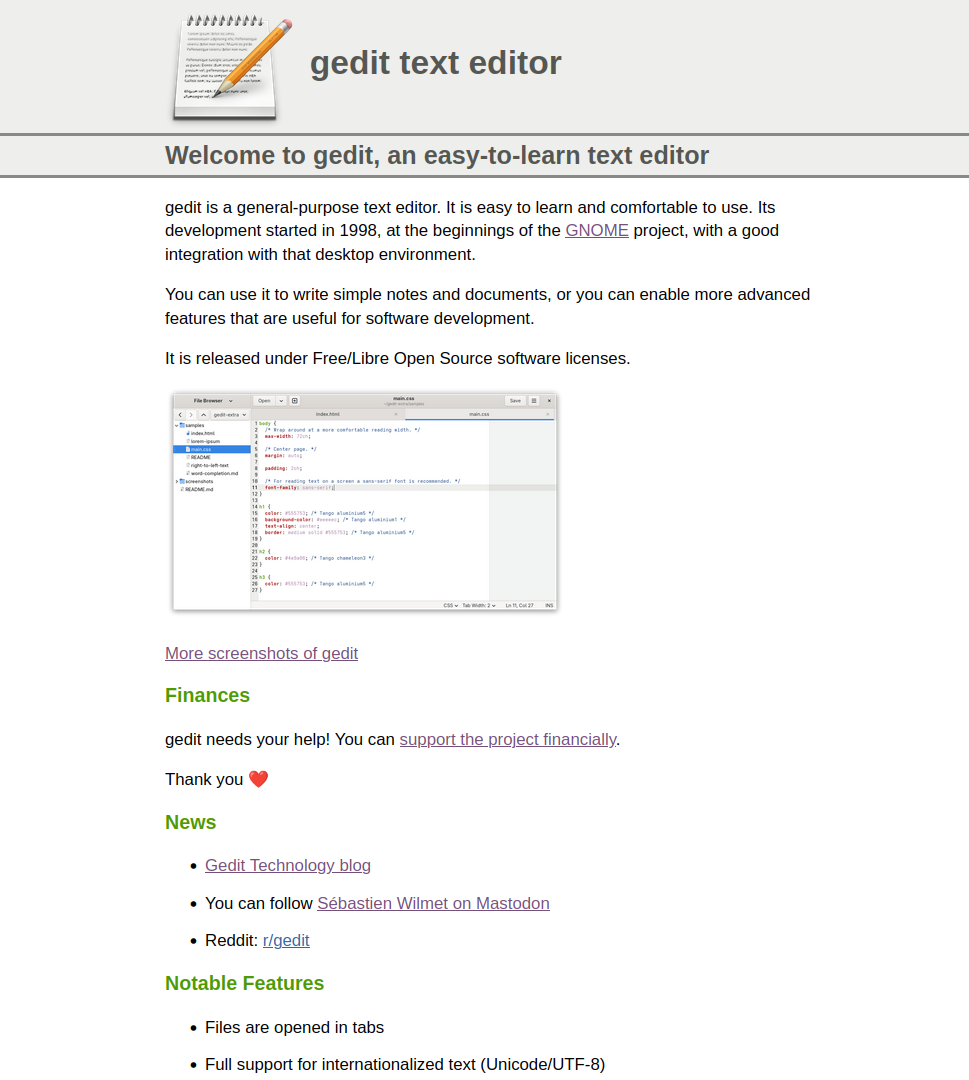
    Probably the highlight this month is the new design of the gedit website .

    If it looks familiar to some of you, it's normal, it's because it's an adaptation of the previous GtkSourceView website that was developed in the old gnomeweb-wml repository. gnomeweb-wml (projects.gnome.org) is what predates all the wiki pages for Apps and Projects . The wiki has been retired, so another solution had to be found.

    For the timeline, projects.gnome.org was available until 2013/2014 where all the content had been migrated to the wiki. Then the wiki has been retired in 2024.

    Note that there are still rough edges on the gedit website, and more importantly some efforts still need to be done to bring the old CSS stylesheet forward to the new(-ish) responsive web design world.

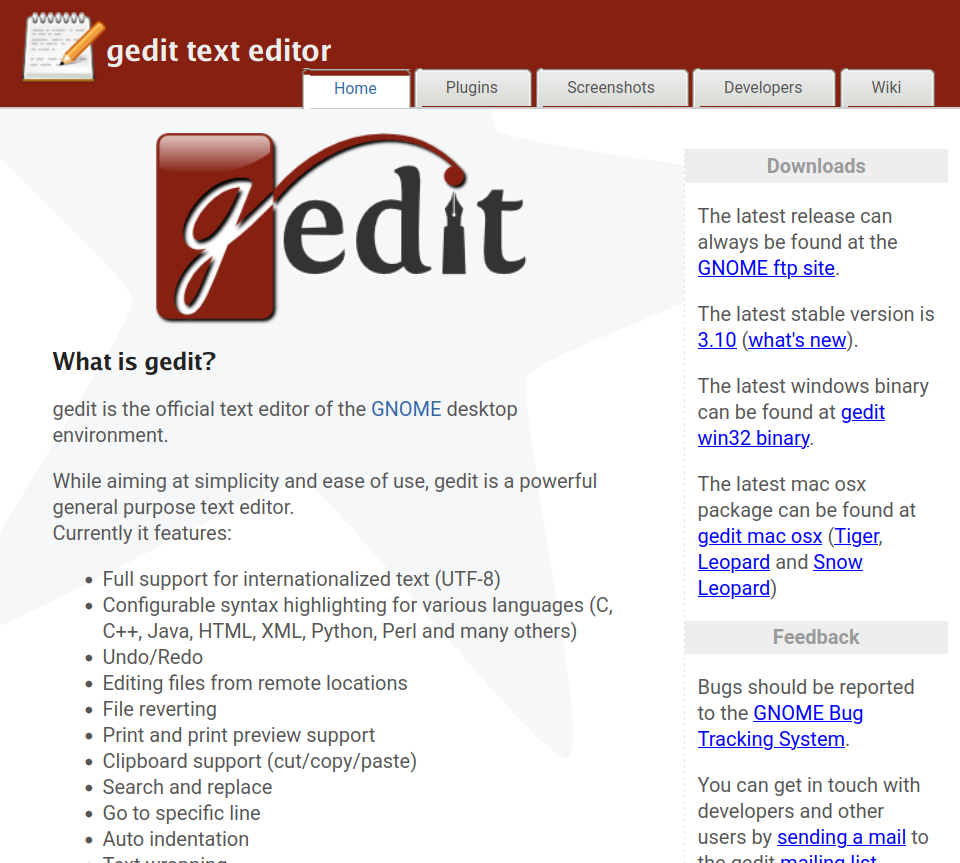
    For the most nostalgic of you:

    And for the least nostalgic of you:

    • gedit website from last month (October 2025)

      Screenshot of gedit website in October 2025

    What we can say is that the gedit project has stood the test of time!

    Enter TeX: improved search and replace

    Some context: I would like some day to unify the search and replace feature between Enter TeX and gedit. It needs to retain the best of each.

    In Enter TeX it's a combined horizontal bar, something that I would like in gedit too to replace the dialog window that occludes part of the text.

    In gedit the strengths include: the search-as-you-type possibility, and a history of past searches. Both are missing in Enter TeX. (These are not the only things that need to be retained; the same workflows, keyboard shortcuts etc. are also an integral part of the functionality).

    So to work towards that goal, I started in Enter TeX. I merged around 50 commits in the git repository for this change already, rewriting in C (from Vala) some parts and improving the UI along the way. The code needs to be in C because it'll be moved to libgedit-tepl so that it can be consumed by gedit easily.

    Here is how it looks:

    Screenshot of the search and replace in Enter TeX

    Internal refactoring for GeditWindow and its statusbar

    GeditWindow is what we can call a god class. It is too big, both in the number of lines and the number of instance variables.

    So this month I've continued to refactor it, to extract a GeditWindowStatus class. There was already a GeditStatusbar class, but its features have now been moved to libgedit-tepl as TeplStatusbar.

    GeditWindowStatus takes up the responsibility to create the TeplStatusbar, to fill it with the indicators and other buttons, and to make the connection with GeditWindow and the current tab/document.

    So as a result, GeditWindow is a little less omniscient ;-)

    As a conclusion

    gedit does not materialize out of empty space; it takes time to develop and maintain. To demonstrate your appreciation of this piece of software and help its future development, remember that you can fund the project . Your support is critical and much appreciated.

    • chevron_right

      Martin Pitt: Learning about MCP servers and AI-assisted GitHub issue triage

      news.movim.eu / PlanetGnome • 14 November

    Today is another Red Hat day of learning. I’ve been hearing about MCP (Model Context Protocol) servers for a while now – the idea of giving AI assistants standardized “eyes and arms” to interact with external tools and data sources. I tried it out, starting with a toy example and then moving on to something actually useful for my day job. First steps: Querying photo EXIF data I started with a local MCP server to query my photo library.